


Your first study
In this lesson you create a glucose repeatability study from a file of example results, give it a limit, calculate it and download its report. It takes about ten minutes. You need the Owner, Administrator or Editor role.
First download repeatability.csv: 21 readings of control QC-001 in one run, one of them already excluded as a transcription error.
Step 1: Import the file
Section titled “Step 1: Import the file”- In the menu on the left, select Studies, then New study from file.
- Select Choose a file and choose
repeatability.csv. The dialog reads 1 level (1), 21 replicates each: 21 results. - Fill in Analyte
Glucoseand Unitmg/dL. - Under Choose a study for these results, select Repeatability.
- Select Create repeatability study.
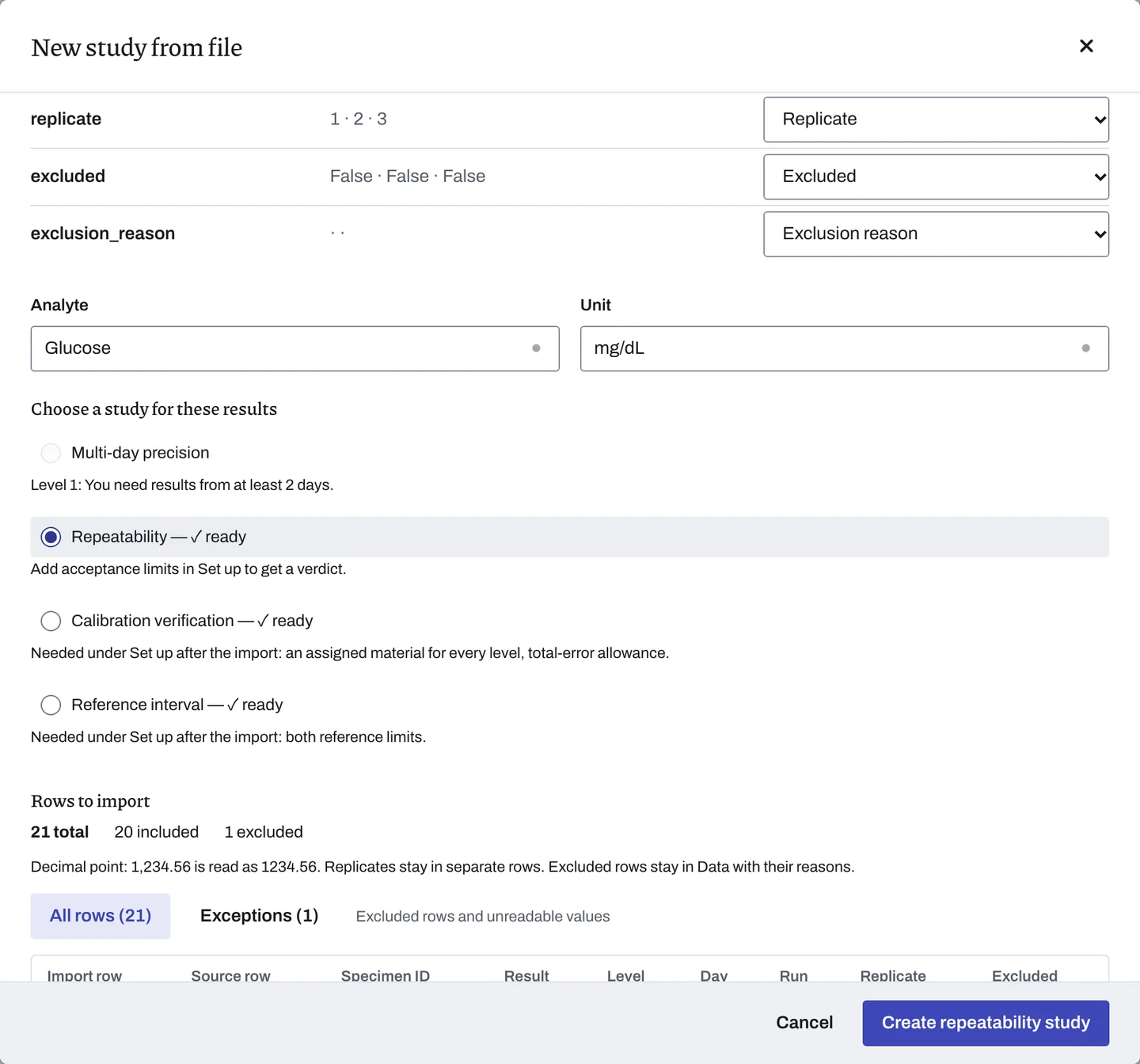
The study Glucose · repeatability opens at Data in General studies, with Imported 21 rows from repeatability.csv. The grid shows 21 rows; row 9, 1004, is marked Excluded.
Step 2: Look at the collection plan
Section titled “Step 2: Look at the collection plan”- Select the Set up tab.
- Open Collection plan.
The Suggested plan reads 2 materials × 20 measurements, in one run on one day: 40 results. The example file holds one material, enough to learn the steps.
Step 3: Add a limit
Section titled “Step 3: Add a limit”- Under Acceptance limits, select Enter your own limit.
- Under What to limit, choose Repeatability CV.
- In Largest acceptable CV (%), type
1. Keep Applies to at All levels. - Select Add limit. The limit reads Sample CV must be ≤ 1%.
- Select Save and enter data in the study header. The Data stage opens.
Step 4: Calculate
Section titled “Step 4: Calculate”Select Calculate results in the study header. The Results stage opens.
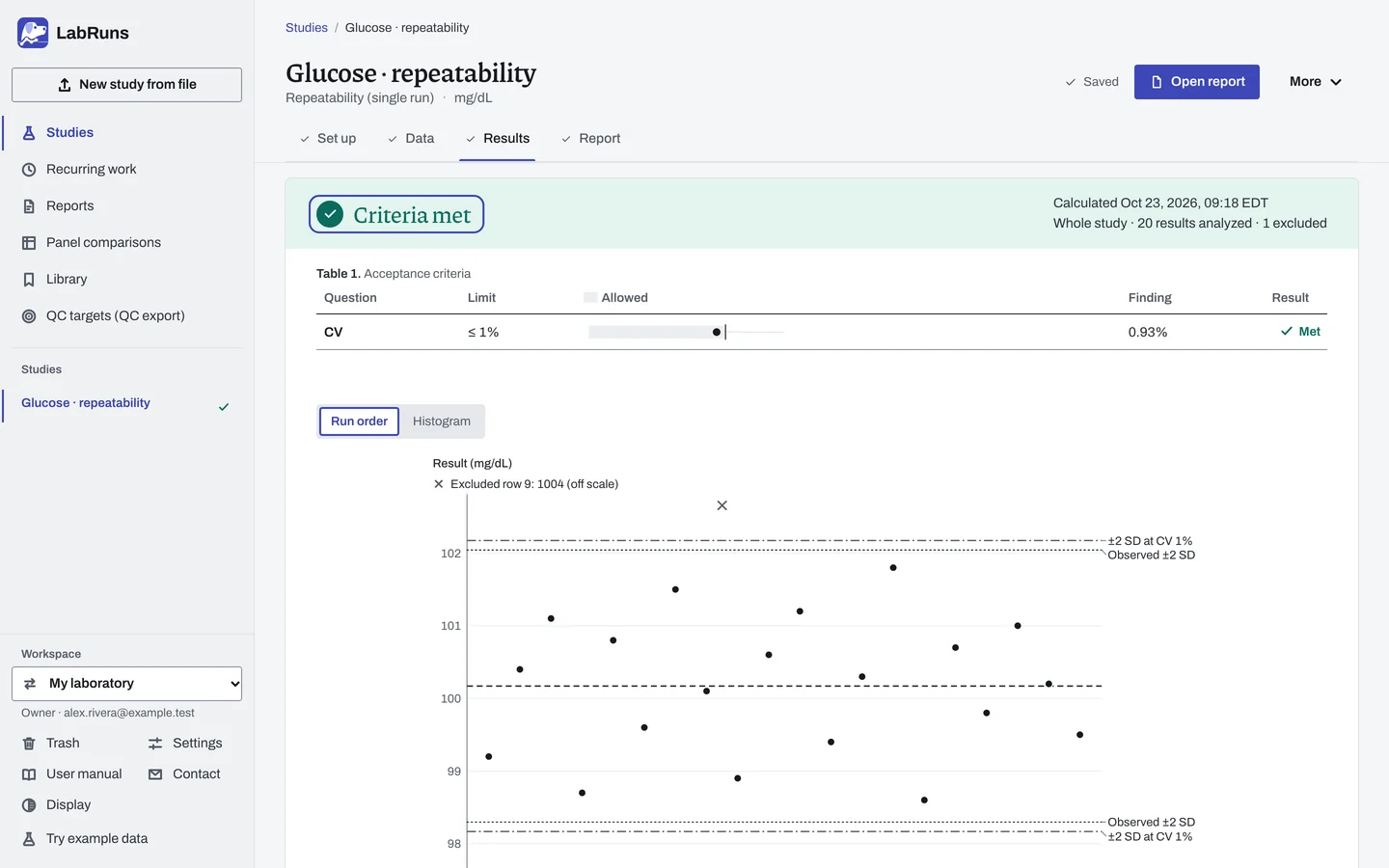
You see:
- Criteria met, with 20 results analyzed · 1 excluded.
- The CV line: observed 0.93%, limit ≤ 1%, Met.
- The results in run order, with the excluded
1004marked off scale. - Key results: mean 100.17 mg/dL (95% CI 99.73–100.61) and SD 0.936 mg/dL.
Step 5: Download the report
Section titled “Step 5: Download the report”- Select the Report tab. The report heading is Glucose · repeatability, with Glucose (mg/dL), Repeatability (single run) and Criteria met beneath it.
- Select Download PDF.
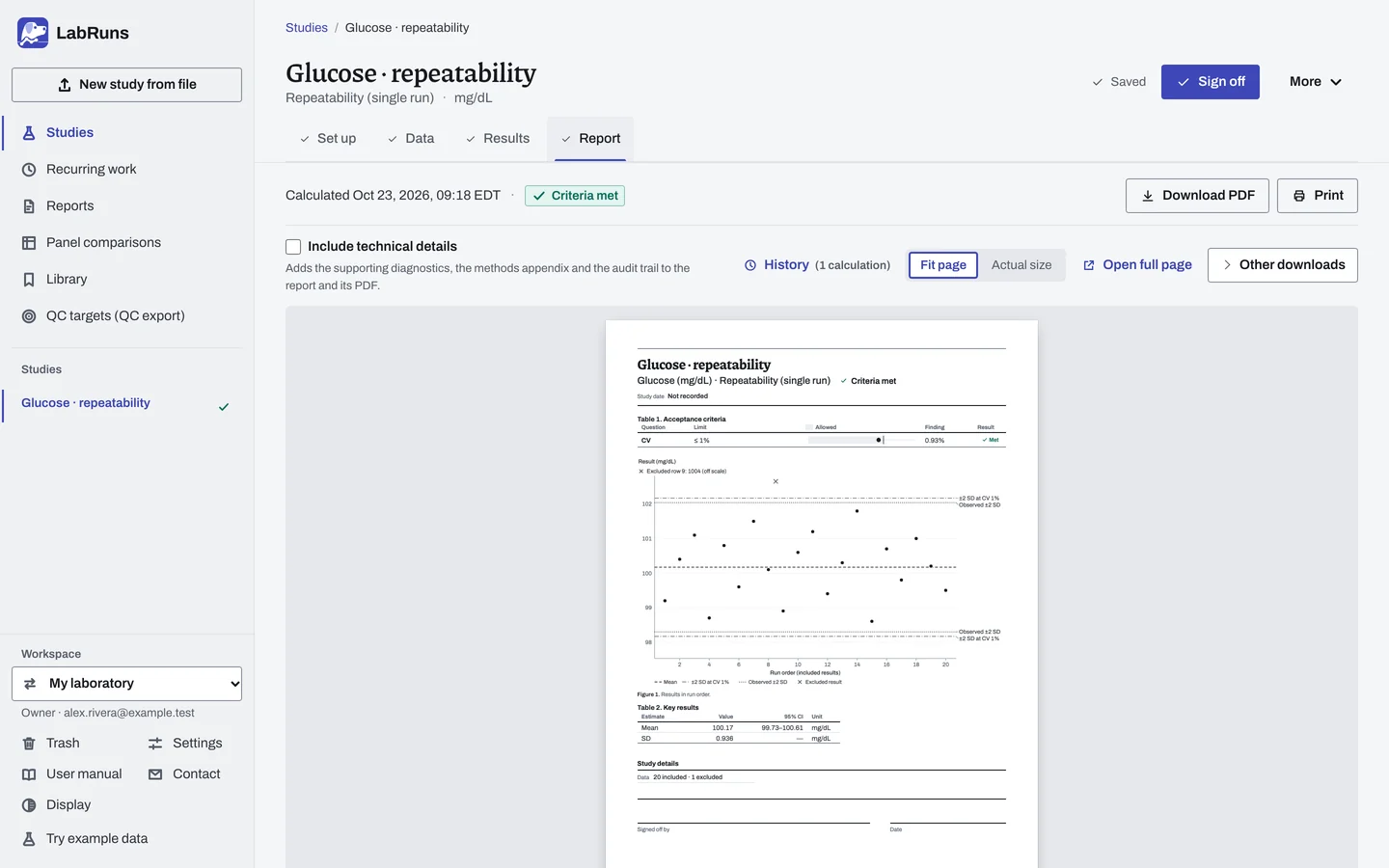
The data listing on page 2 lists every row, including the excluded 1004 and its reason.
Next, correct a value and recalculate in the same study. To plan a real study, start from its study guide.