


Method comparison
Run this study
Section titled “Run this study”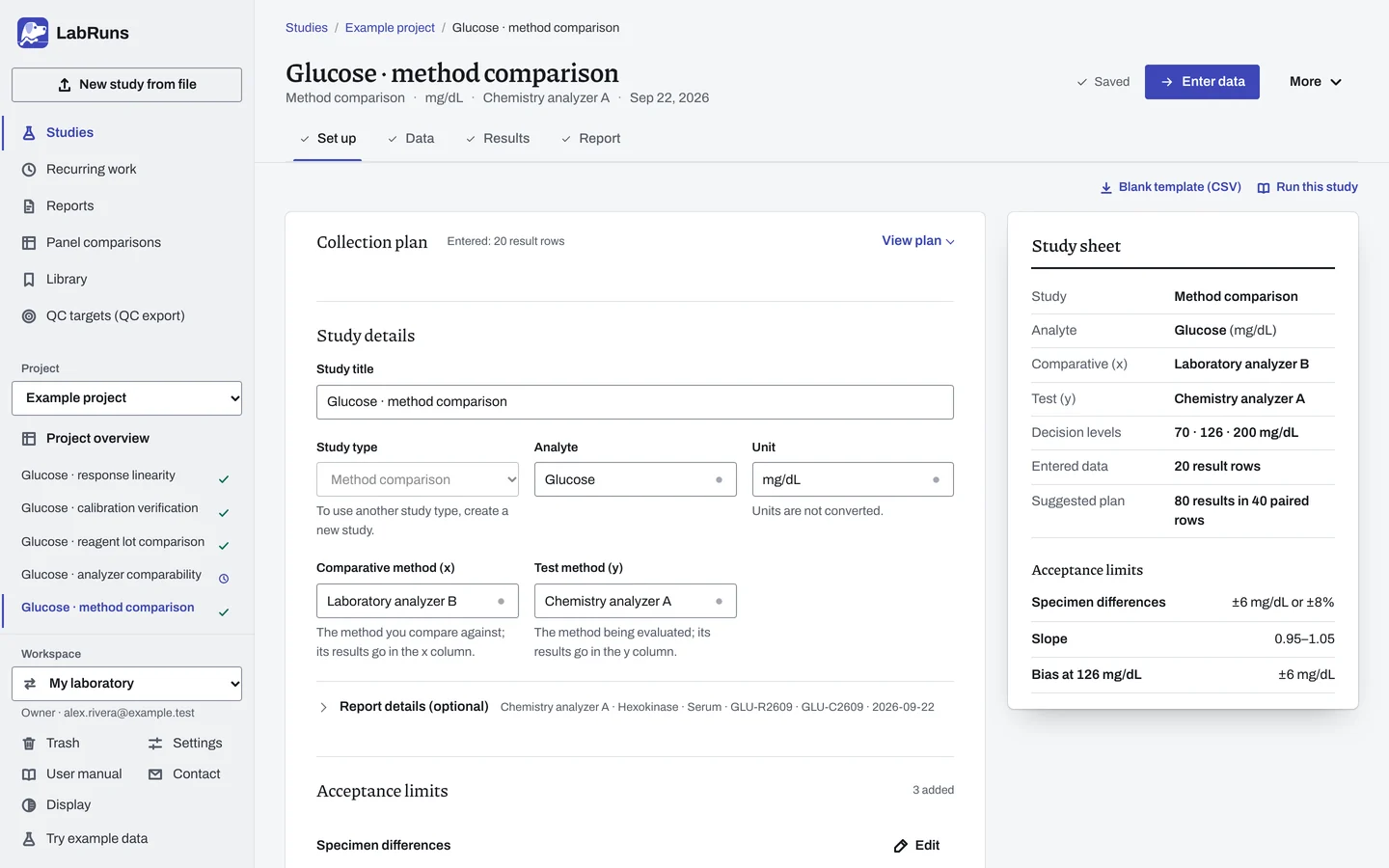
- Your question
-
Does the new method give acceptable results across the concentrations your laboratory reports?
- Prepare
-
Independent patient specimens spanning low, middle and high results, including the medical decision levels. A coded ID for each specimen. Both methods calibrated with acceptable QC. Measure within the specimens' documented stability limits.
- Suggested starting plan
-
- 40 specimens × 1 measurement on each method. 80 results in 40 paired rows.
- For replicate-derived Deming λ: 40 specimens × 2 measurements on each method. 160 results in 80 paired rows.
Tighter bias estimates or wider concentration coverage may need more specimens. For a 40-specimen design, see this published CRP comparison.
- Calculation minimum
-
Calculation needs two specimens. Slope and intercept intervals need 3 specimens, or 5 with Passing-Bablok. The specimen rule needs at least 5 specimens, with at least 95% within their allowable difference.
-
Decide before collecting. Create the study and fill these in on Set up:
- The comparative and test methods.
- The allowable difference for each specimen, as an absolute amount, a percentage of the comparative result, or the greater of both.
- The medical decision levels.
- The primary regression and, for Deming, the evidence for the variance ratio λ.
Figure 1. Set up for Glucose · method comparison. -
Collect and record. Collect the results as planned above and label each one with the specimen or material, level, day, run and replicate your design tracks.
-
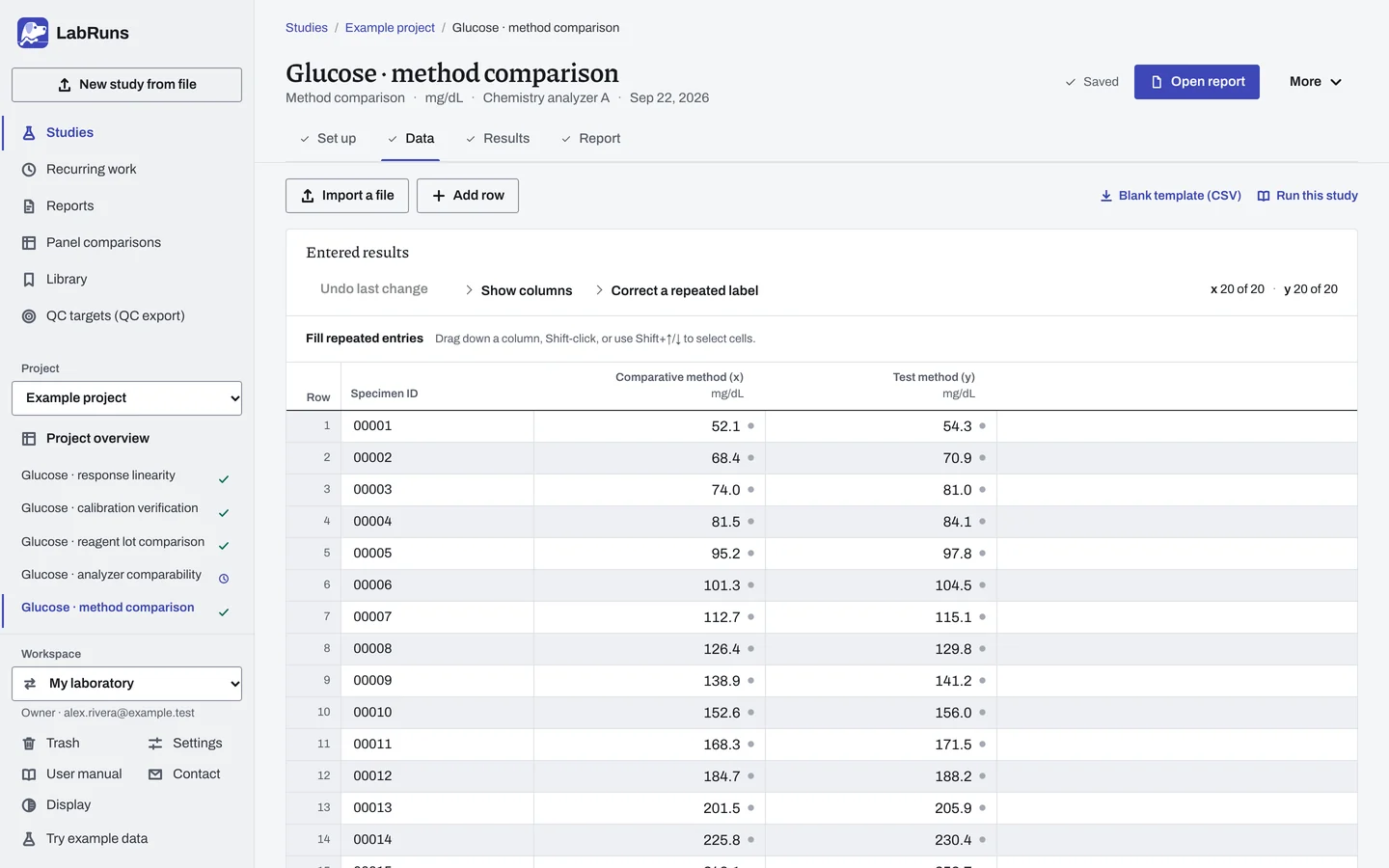
Enter your results. Put comparative and test results side by side. Repeat the specimen ID for replicate pairs and label each replicate. Check any repeated ID without replicate labels for a duplicate entry. For a ready-made file, use Blank template (CSV) on Data, or download the example file.
Figure 2. Data for Glucose · method comparison. -
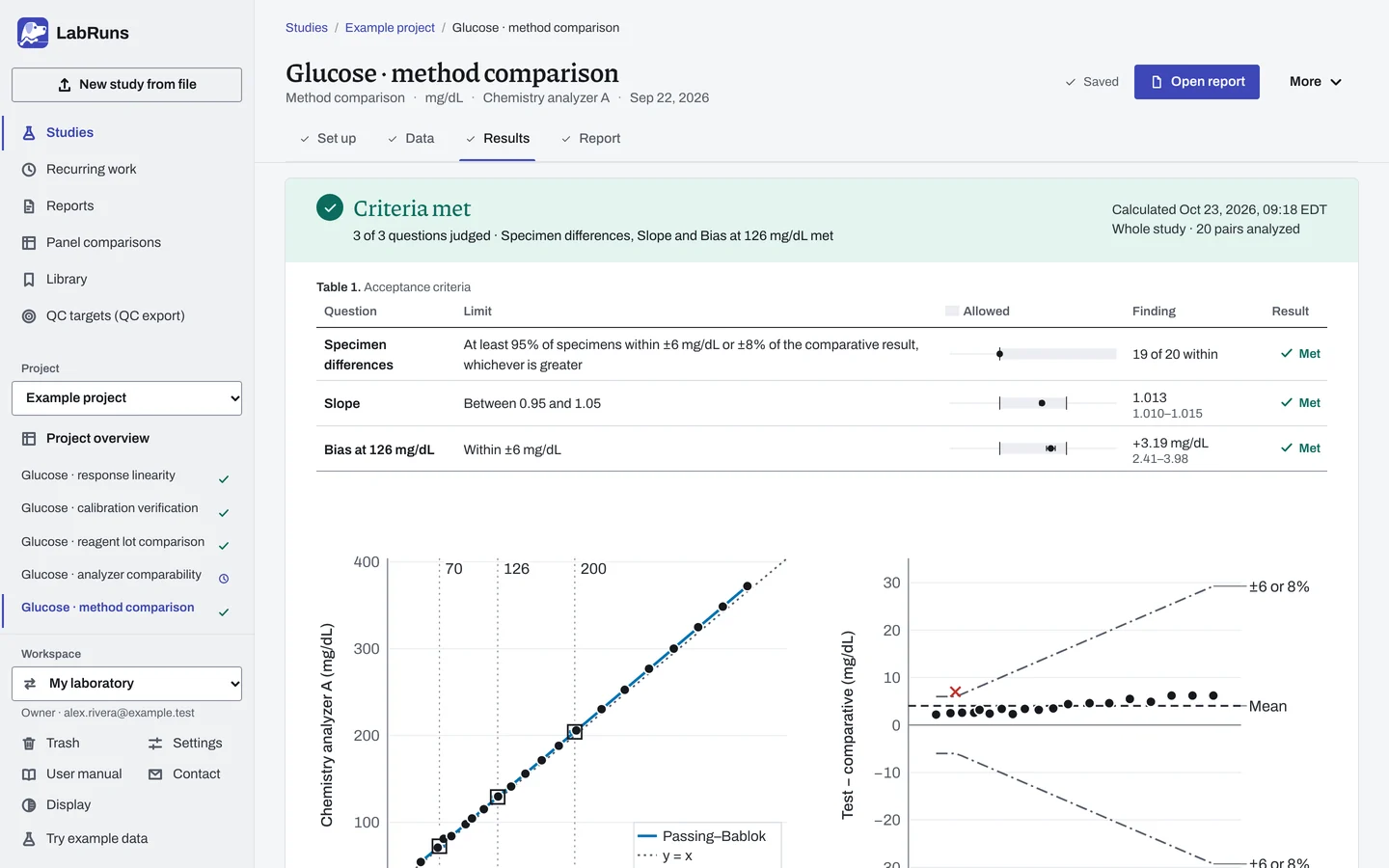
Calculate and check. Save the study, choose Calculate results, then check:
- Coverage of any claimed reportable range, based on the paired results on the reference axis.
- The independent specimen count and the studied range.
- Each specimen decision and whether the count within limits meets the 95% requirement.
- Decision-level bias and its uncertainty. A decision level outside the studied range can't pass.
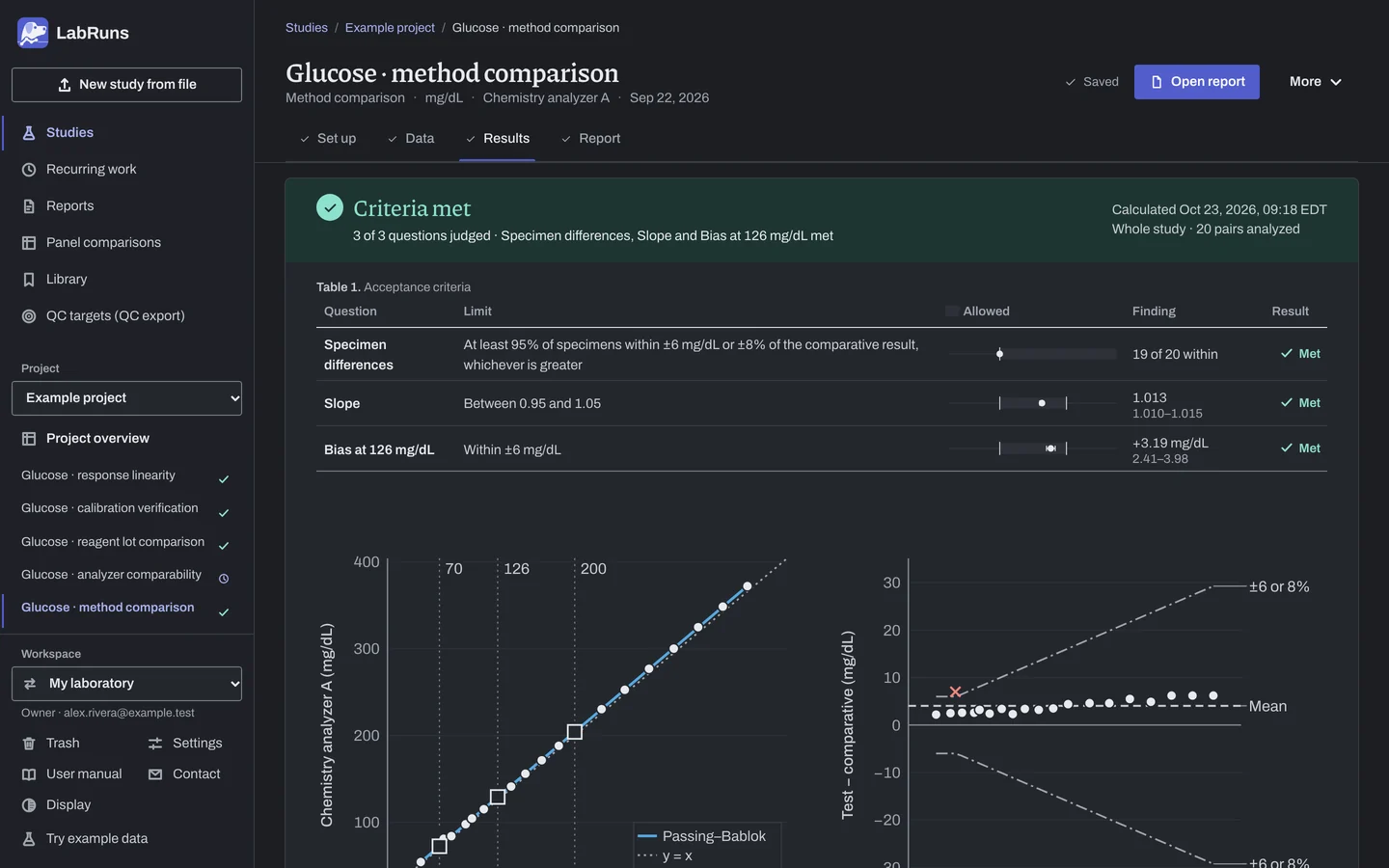
Figure 3. Results for Glucose · method comparison. -
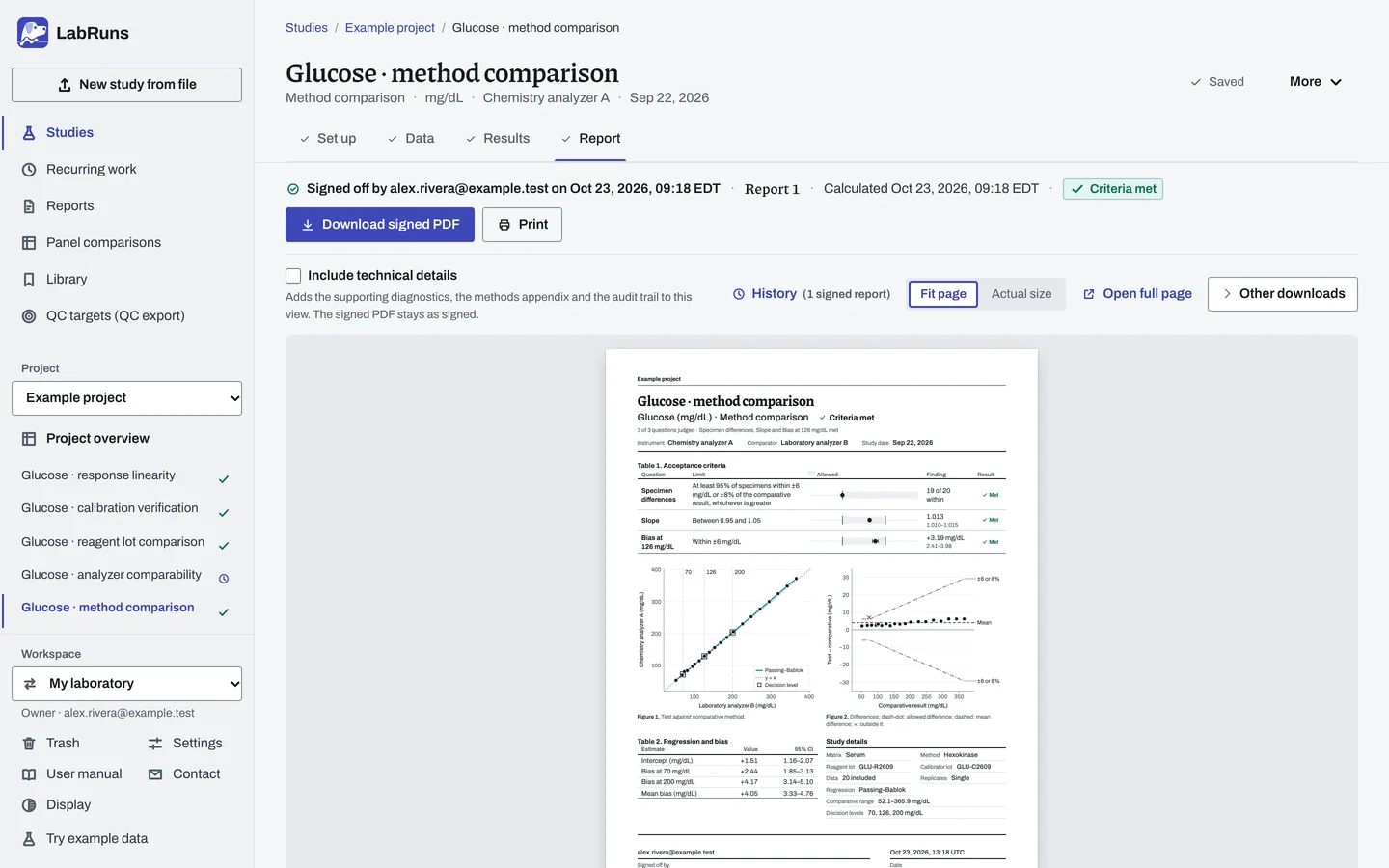
Report your decision. Open Report, look over the result and the study details, then download or print the report. Sign-off is optional.
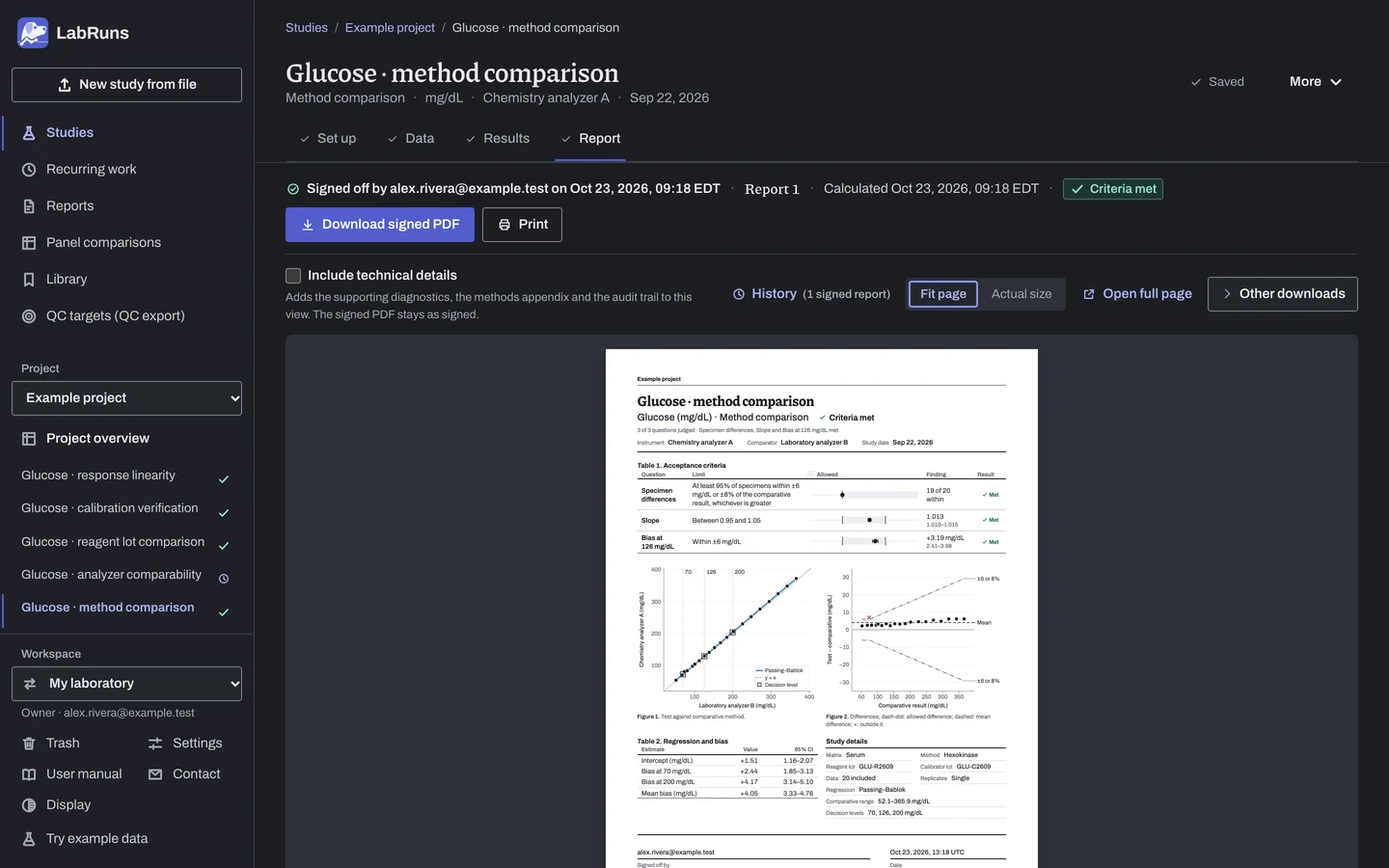
Figure 4. Report for Glucose · method comparison.
See Method comparison in LabRuns for an overview of the study, report and saved records.
Set up
Section titled “Set up”- Choose New study. Select Method comparison under Comparison and bias, fill in Comparative method or instrument (x-axis) and Test method or instrument, then enter Analyte and Unit. Choose Create study, or Create and import data if you already have results.
- On Set up, under Acceptance limits, choose Enter your own limit. Under What to limit, pick Specimen difference or Bias at a medical decision level (with its own Medical decision level (mg/dL)), then enter the limit in the study unit, as a percentage, or both (both parts). For a slope, intercept, mean bias or mean relative bias limit, choose More statistics. See Acceptance limits.
- In Method comparison, choose the Primary regression (choosing a regression), then enter the Medical decision levels (mg/dL) in the study unit, separated by semicolons, for example
70; 126; 200. With a decimal comma, write5,5; 12. - With a Deming primary regression, How λ is supported appears below the decision levels; with another fit it is under Deming settings for the other fits (the three bases). The preset choice usually needs no change.
- Optionally, under Reportable-range coverage (optional), enter the Claimed lower reportable limit and Claimed upper reportable limit.
- To plot relative differences, tick Plot relative differences (%) under Calculation settings, then save and recalculate.
- On Data, choose Import a file, or Add row and type or paste into the grid. On an empty grid, set Specimens and Measurements per specimen under Lay out the grid and choose Create entry rows for a row for every planned result (Laying out the grid). Put both results for a specimen on one row, and repeat the specimen ID on every replicate row. See Columns.
- For a result such as
<5, enter the exact reading from the original record if available; otherwise exclude the row with a reason. See Handle missing and censored values.
Link precision studies for λ
Section titled “Link precision studies for λ”- In Method comparison on Set up, set How λ is supported to Taken from linked precision studies. Unless the Primary regression is a Deming fit, it is under Deming settings for the other fits.
- Under Test method (y) and Comparative method (x), choose a saved precision result for each method: a different study for each, at the level nearest your decision concentrations. Refresh the list of saved precision results reloads the lists.
- When a linked study gets new data or a new calculation, choose its current result in Method comparison on Set up, save and calculate again. See Linked precision results.
When a limit is not met
Section titled “When a limit is not met”- Check for swapped columns, a wrong unit, a reused specimen ID or typing errors. Look at the same things when the study shows warning signs: bias near or beyond your limit, limits of agreement wide compared with clinical tolerance, a trend or fan shape in the difference or residual plot, slopes that differ between fits, or isolated points.
- If the data are right, the difference is real. Add specimens in concentration ranges with few measurements and recalculate.
- If a decision-level limit is Undecided because the concentration is outside the studied range, collect paired specimens near that concentration, or remove the level if it is outside your intended reporting range.
Common mistakes
Section titled “Common mistakes”- Comparative and test results swapped. The slope is the reciprocal of what you expected, or the bias has the wrong sign. Put comparative results in Comparative method (x) and test results in Test method (y).
- A limit that leaves specimens unevaluated, such as a percentage limit with a comparative result at zero, or concentration segments with a gap. Use an absolute or greater-of limit, or extend the concentration segments to cover every specimen.
- A primary regression that can't run, for example weighted Deming with a zero value, or a Deming ratio that is not a positive number. Change the Primary regression, or correct How λ is supported in Method comparison on Set up.
- Percentage statistics or weighted Deming on an interval scale. They need a ratio scale with a meaningful zero (Measurement scale under Calculation settings). Use absolute differences on an interval scale.
- A copied limit shows Not applicable. Open it with Edit and choose Update limit.
- A linked precision study changed after you linked it. The Deming limits stay Undecided. Choose its current result, save and recalculate.