


QC targets (QC export) reference
From the QC exports you upload, a QC targets workup proposes a candidate target mean, SD and CV, and optional SD ranges, for each instrument, lot, analyte and level. Open it from QC targets (QC export) in the menu. It belongs to the current workspace and is separate from its projects. The same page lists earlier workups under Saved workups. Each analyte gets one comparison table across its instruments, lots and levels. The group review names the analyzer module from the instrument name: Immunoassay for _IM_, Chemistry for _CC_.
Settings
Section titled “Settings”After Analyze files, the workup opens with every date pooled. Review settings holds the report details, baseline dates and instrument choices; its summary keeps the baseline and instrument selection visible when closed. The settings take effect when the review is saved.
| Setting | Meaning |
|---|---|
| Baseline period | Start date and End date are both included. Use an export's date range fills them from one export; All measurements clears them, so no date filter applies |
| Unit | One per analyte, above its comparison table. The box shows red until it is filled; a new workup starts with the unit last saved for that analyte code. It appears in the report, charts and summary CSV and only labels the results |
| Target precision | In a group's review. Source decimal places by default, or Decimal places or Significant figures. It applies to that analyte on every instrument and level |
| Report name | Renames the saved workup, report and downloads |
| QC name and expiration date | Optional, for each QC family, under QC materials & report details. A blank one prints blank and blocks nothing |
| Include estimated SD ranges in the report | Adds the ±1, ±2 and ±3 SD table |
| Combine instruments | With two or more instruments in the workup, ticking two or more that run the same QC adds a Combined performance table to the report |
Lots that differ only in a last digit matching the level form one QC family, for example 85391, 85392 and 85393 for levels 1 to 3. 85391T to 85393T are a separate family.
Columns
Section titled “Columns”Uploads are UTF-8 text exports with values separated by comma, tab or semicolon. A header row with these names is optional. The seven columns must come in this order:
| Column | Meaning |
|---|---|
| Instrument | For example P_CC_3 or P_IM_4 |
| Lot | Read as text, so 00123 and 123 are different lots |
| Analyte | Original code. An analyte of NA is Sodium |
| Date | YYYY/MM/DD or YYYY-MM-DD |
| Time | HH:MM:SS, optionally with fractional seconds |
| Level | Text, for example 1 or Low |
| Result | Original text |
Result cells are read as:
- Number: plain or scientific, such as
140.0or1.20e-3, with the file's decimal mark. A file whose results have decimal commas, such as5,32, and no decimal points is read with a decimal comma;1,234and1.234alone leave a file on the decimal point. - Censored:
<,>,<=,>=,≤or≥followed by a number, such as<3.100. - Missing: empty,
NA,N/A,NULL,NONE,NaN,-or--, any case. - Unrecognized: anything else, such as
hemolyzed, or1,23in a file read with a decimal point.
The import stops at a malformed row, a bad date or time, the wrong encoding, the same file twice or a file over the limit, and names the file and line. Uploading the same set of files again reopens the saved workup.
Acceptance limits
Section titled “Acceptance limits”A QC targets workup has no acceptance limits. Its candidate targets follow these rules:
- A group gets a candidate target when it has at least two numeric results and no unresolved missing, censored, unrecognized, duplicate or conflicting-timestamp rows. Otherwise its target shows a dash.
- An asterisk marks a group that has a note to review.
- A Combined performance row is calculated only when every instrument in the combination has a candidate target; otherwise it reads Not combined.
Results and plots
Section titled “Results and plots”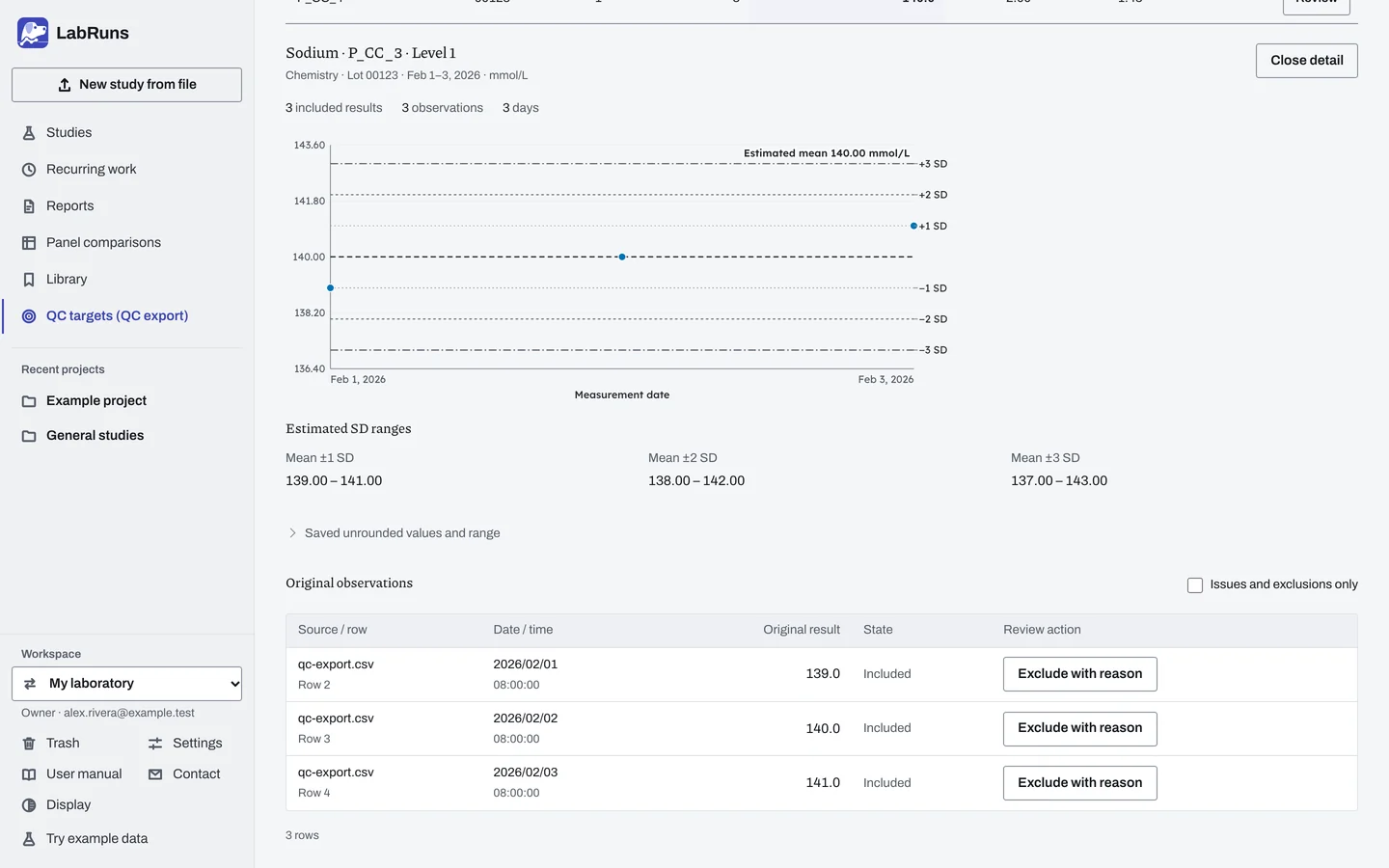
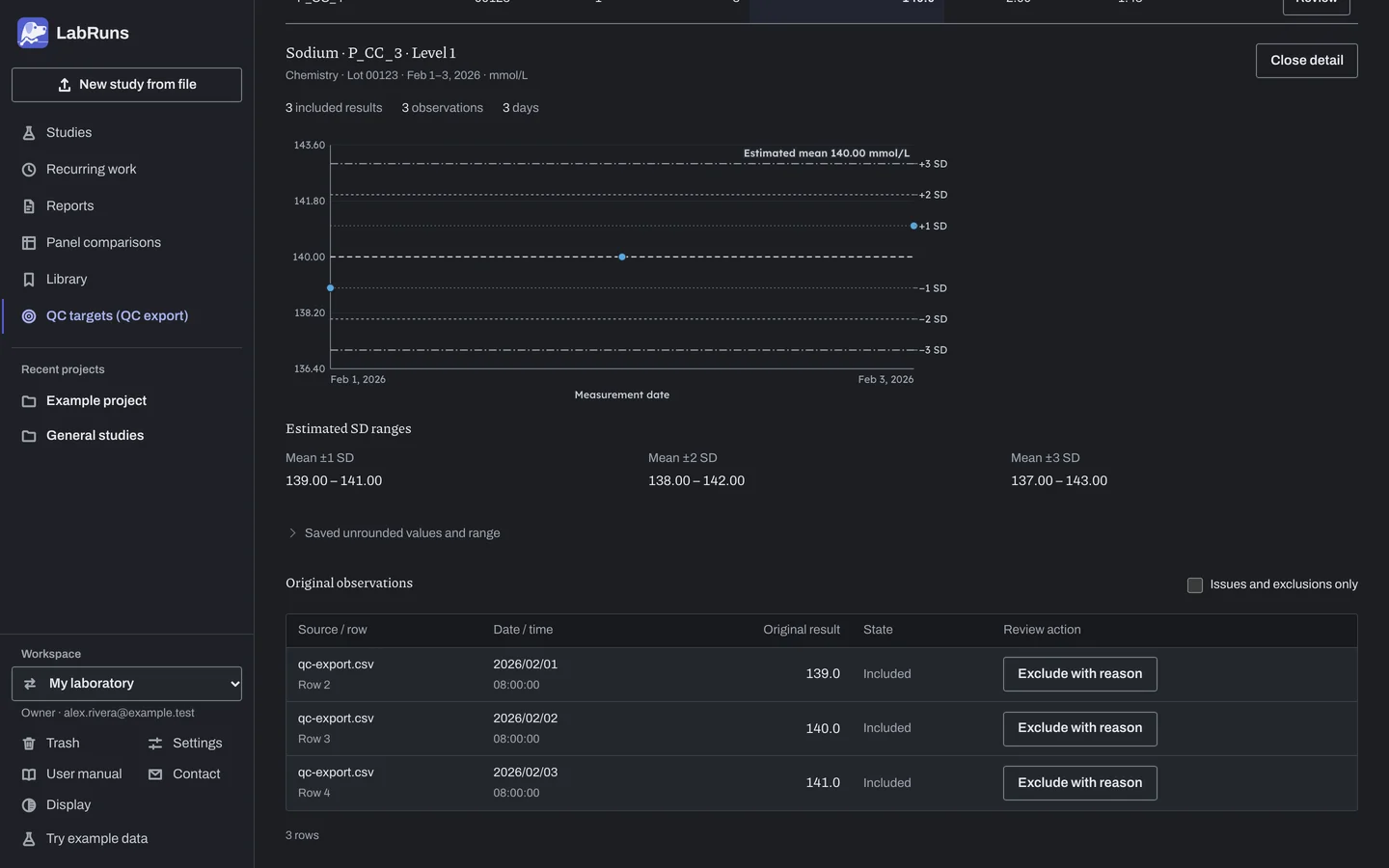
The comparison table has one row per instrument, lot and level with n, Target mean, SD and CV %. Review opens a group:
- row counts by state, such as included, excluded, missing, duplicate or outside the period
- a time plot of numeric results with the mean and ±1/2/3 SD lines, excluded rows as crosses and repeated timestamps in orange
- Estimated SD ranges and Saved unrounded values and range
- Original observations, one row per source row with its State.
A row can be in more than one count, for example both excluded and outside the period, or both duplicate and conflicting timestamp. Identical rows may be genuine repeats, because the export has no observation ID.
Saved Combined performance results appear after the individual groups.
Edits stay in the page until the review is saved. Until then, tables, plots and downloads show the last saved review.
Saved results and source files offers Summary CSV, Open report, Report PDF and the original files, each with its SHA-256 checksum. Unavailable statistics are blank in the Summary CSV.
When the report layout has changed since a workup was saved, the save button reads Update report and redraws the report from the same results. When the calculation has changed, it reads Update estimates and recalculates with the current method.
Report
Section titled “Report”The report opens with the report name, baseline period, measured dates (for example Sep 1–20, 2026), instruments, source, result counts and a summary of how many groups have a candidate target and how many need review. All measurements means no date filter was applied. Candidate targets lists each instrument, lot and level, grouped by analyte, with lettered notes. A group without a target reads Not assigned. Page 1 shows the target rows that fit above Review and approval; a long table continues with the remaining groups on the next pages. The reviewer's signature and date lines stay at the foot of page 1. Combined performance and Estimated SD ranges follow when chosen, then QC materials. The Levey-Jennings charts come next, one per group: each is named with its analyte and unit and draws the baseline mean with its ±1, ±2 and ±3 SD lines. The methods and, for several exports, a list of source files follow.
Example
Section titled “Example”Upload qc-export.csv, an example eight-row file, with no baseline dates and source decimal places.
| Analyte / instrument | n | Target mean | SD | CV % |
|---|---|---|---|---|
| Sodium / P_CC_3 | 3 | 140.0 | 1.00 | 0.71 |
| Sodium / P_CC_4 | 3 | 140.0 | 2.00 | 1.43 |
| aHBs2 / P_IM_4 | 0 | —* | — | — |
The export's analyte NA appears as Sodium, lot 00123. The immunoassay group has only two <3.100 results at level Low, so n is 0 and it has no target. Its asterisk marks its notes to review: censored results are left out, and a target needs at least two numeric results.
With P_CC_3 and P_CC_4 ticked under Combine instruments, Sodium lot 00123 level 1 combines to n = 6, combined mean 140.0, SD 1.58 (√((1.00² + 2.00²) ÷ 2)), CV 1.13 % and spread 0.00 %. Both analyzers have the same mean.
Calculations and sources
Section titled “Calculations and sources”Each group is calculated over the baseline period.
- Target mean: mean of the numeric results, rounded to the target precision. Halves round away from zero.
- Numeric mean: the mean to one more decimal place than the target, printed on the time plot. Saved unrounded values and range in group review keeps the exact saved values. The summary CSV uses up to 17 significant digits for its numeric mean, SD, CV and range columns.
- Sample SD: sqrt(sum((value − mean)²) / (n−1)), from n = 2. Shown to one more decimal place than the target, for example 0.031 for a target of 0.93.
- CV %: 100 × SD / mean, from n = 2 and for a positive mean. Two decimal places.
- Estimated SD ranges: mean ±1, ±2 and ±3 SD from the unrounded mean and SD, shown to one more decimal place than the target.
- Combined performance: for each analyte, lot and level the ticked instruments share, each instrument counts equally. Combined mean = average of the instrument means. SD = √(average of the instrument variances). CV % = 100 × SD / combined mean. Spread % = 100 × (highest − lowest instrument mean) / combined mean. A large spread means the instruments read differently, and a shared target would be off-centre for each.
Every result has equal weight, so days with more repeats count more. The SD includes all variation in the period.
Target precision. Source decimal places uses the resolution of the original text. If that varies within a group, the coarsest is used and the group gets an asterisk. The other settings change only the rounding shown.
Sources: NIST sample SD, NIST coefficient of variation and NIST outlier review. See Study reference.
Evidence references: the report records the CAP checklist edition and the control-range references for chemistry (CHM.14000), hematology (HEM.19380), immunology (IMM.34140), point-of-care testing (POC.07456) and urinalysis (URN.25280). The reference for the laboratory's discipline applies, with its associated control-material and acceptance records.