


Qualitative agreement
Run this study
Section titled “Run this study”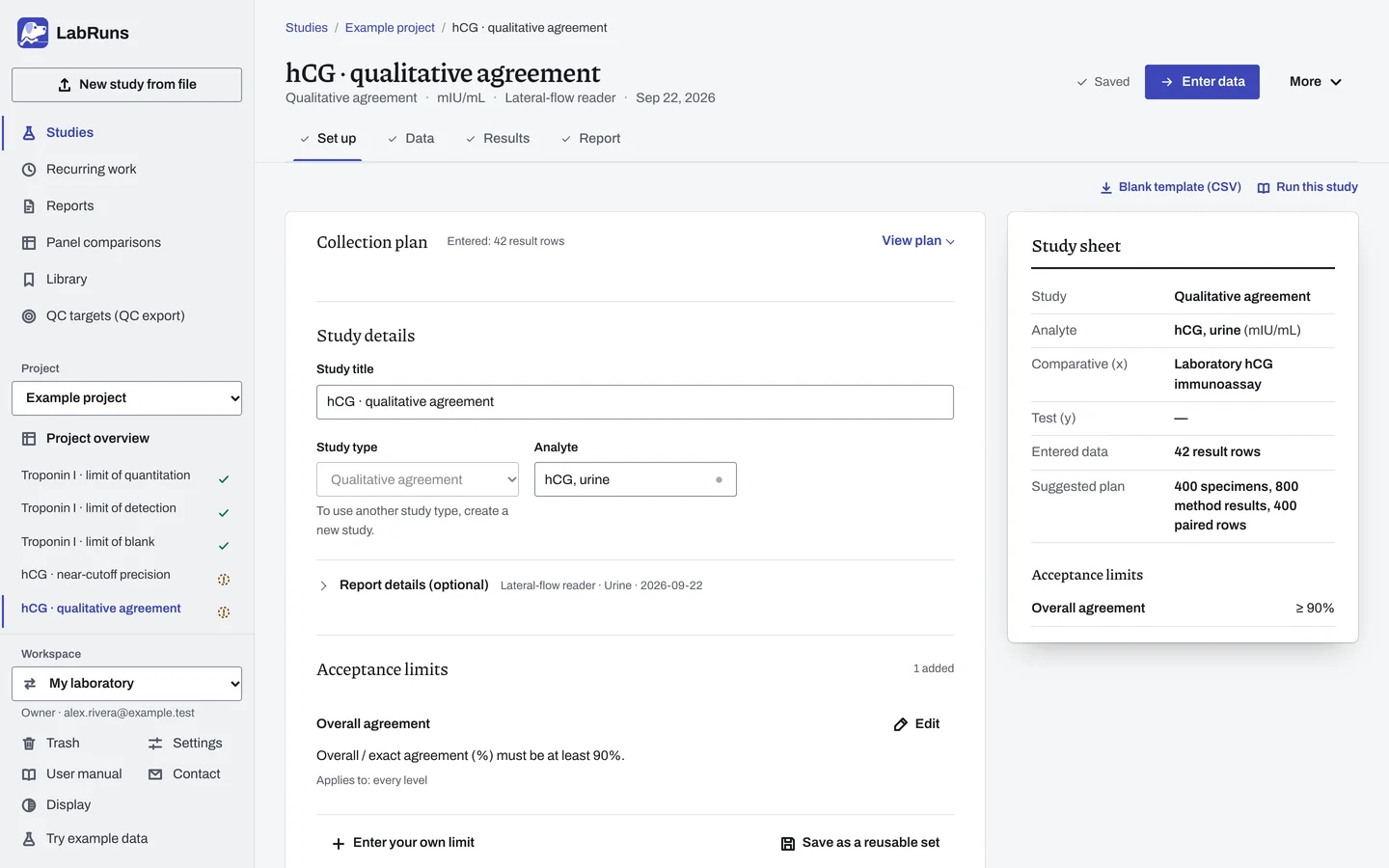
- Your question
-
Do two methods give the same categorical result on the same specimens?
- Prepare
-
Comparator-positive and comparator-negative specimens, planned separately. Specimens that represent the intended patients, including challenging results near the cutoff.
- Suggested starting plan
-
- 200 comparator-positive + 200 comparator-negative specimens, each tested once on both methods. 400 specimens, 800 method results, 400 paired rows.
If 190 of 200 agree in each group, the 95% Wilson lower bound is about 91.0%, which meets a 90% goal. Fewer agreements may miss it. Plan other goals with the Wilson calculation.
- Calculation minimum
-
One included pair gives a result. Each agreement criterion needs at least 2 specimens in its denominator.
-
Decide before collecting. Create the study and fill these in on Set up:
- Which labels mean equivocal or invalid. The categories and the positive category are taken from your results.
- The confidence level and the lowest acceptable agreement bound.
- Whether the comparator is a reference standard; for modeled predictive values, the intended population prevalence.
Figure 1. Set up for hCG · qualitative agreement. -
Collect and record. Collect the results as planned above and label each one with the specimen or material, level, day, run and replicate your design tracks.
-
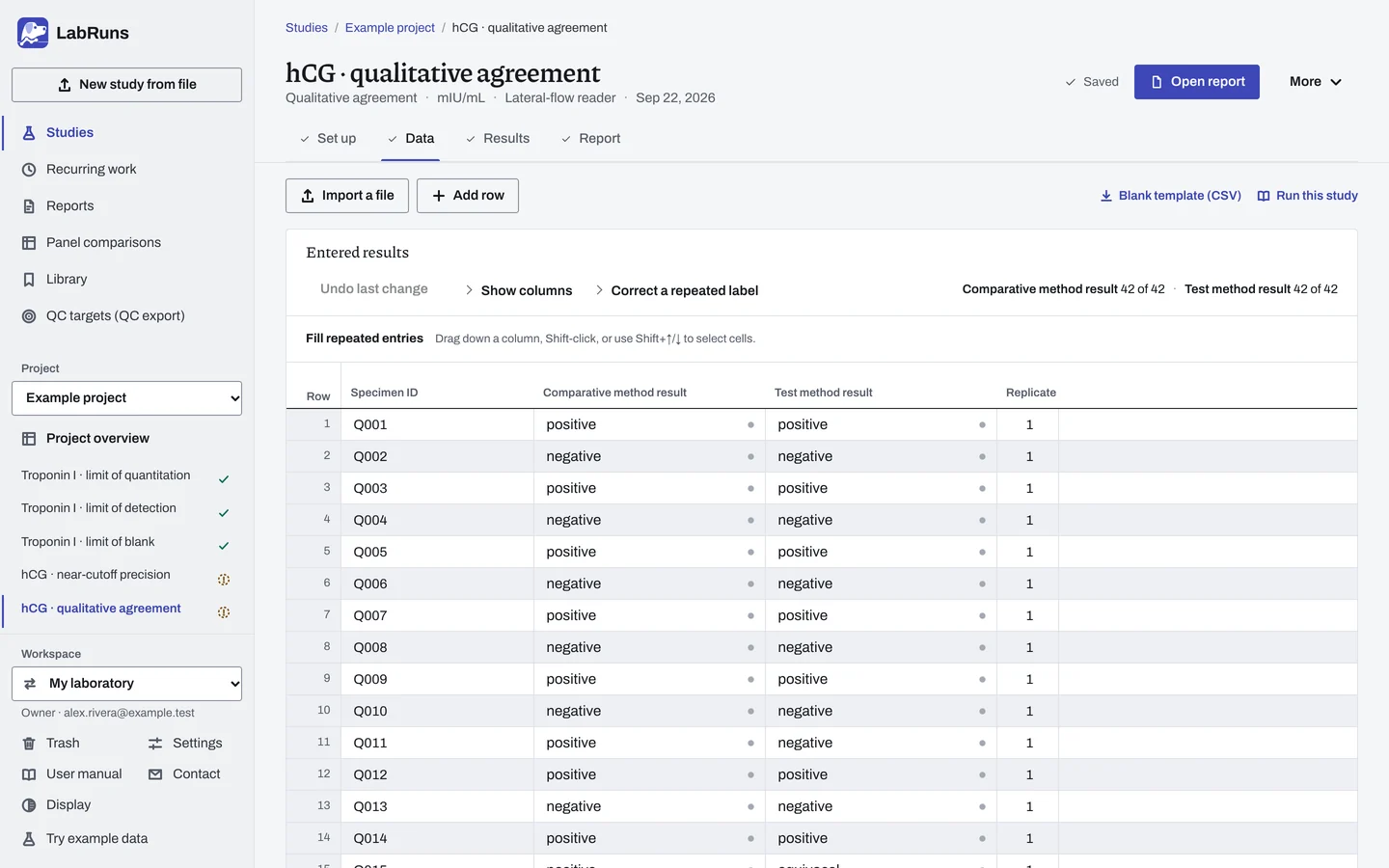
Enter your results. Enter pairs in collection order, with retests on later rows. Only the first included row for each specimen counts. For a ready-made file, use Blank template (CSV) on Data, or download the example file.
Figure 2. Data for hCG · qualitative agreement. -
Calculate and check. Save the study, choose Calculate results, then check:
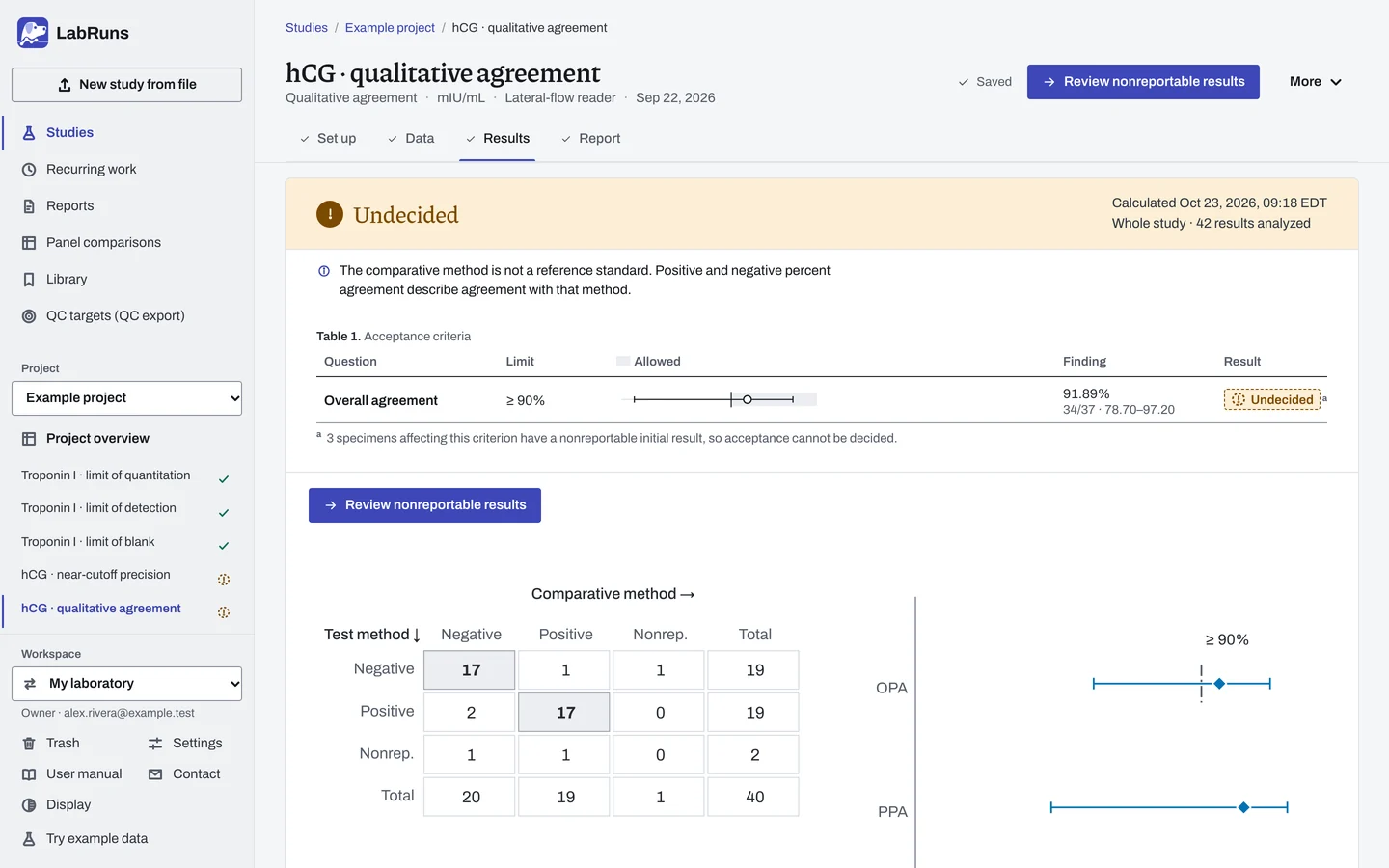
- Positive and negative agreement with their intervals and reportable denominators.
- Any included nonreportable initial result leaves affected acceptance criteria undecided. Review the counts and every disagreement.
- Against a reference standard, review predictive values with their denominators and whether they are observed or modeled at an entered prevalence.
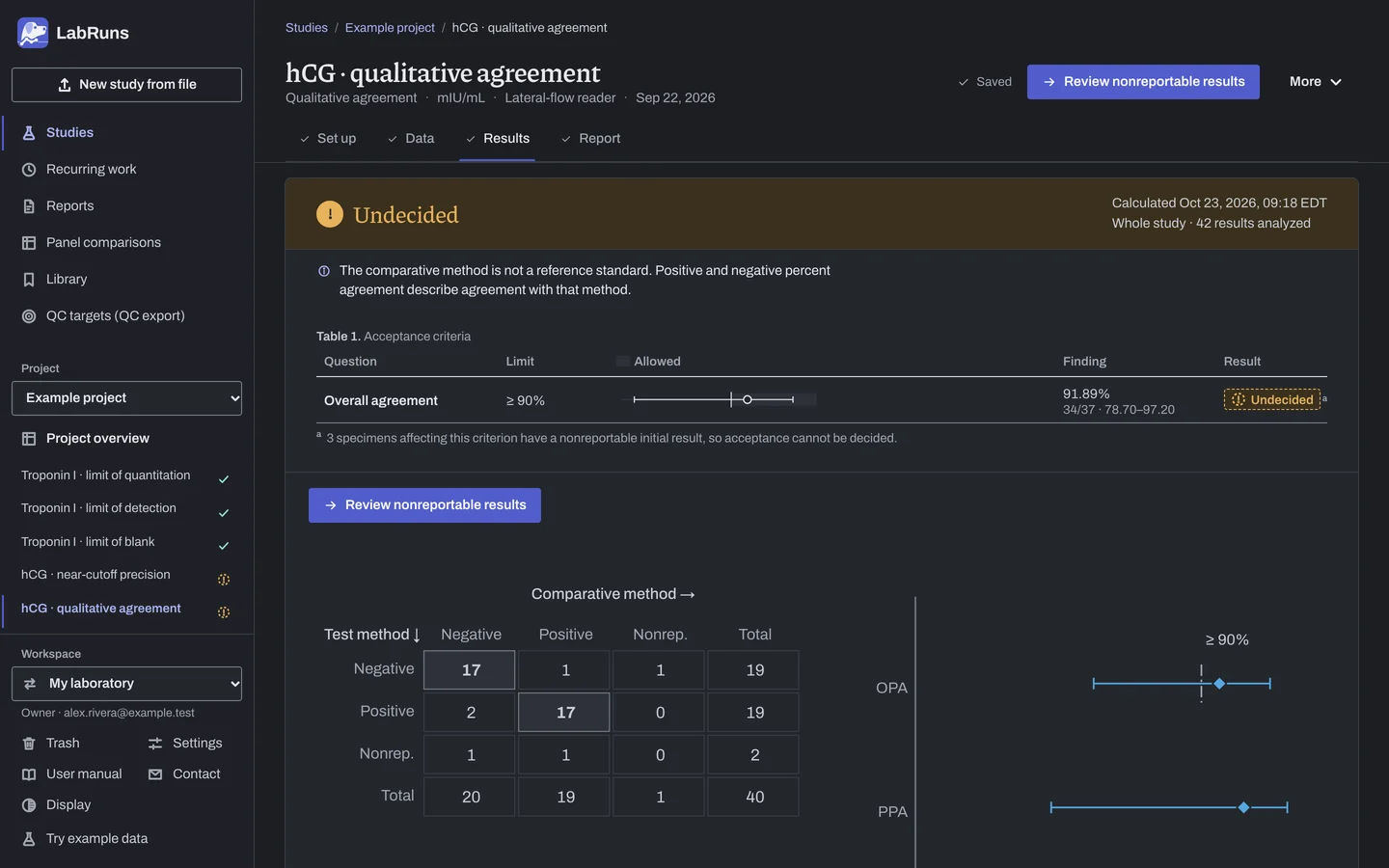
Figure 3. Results for hCG · qualitative agreement. -
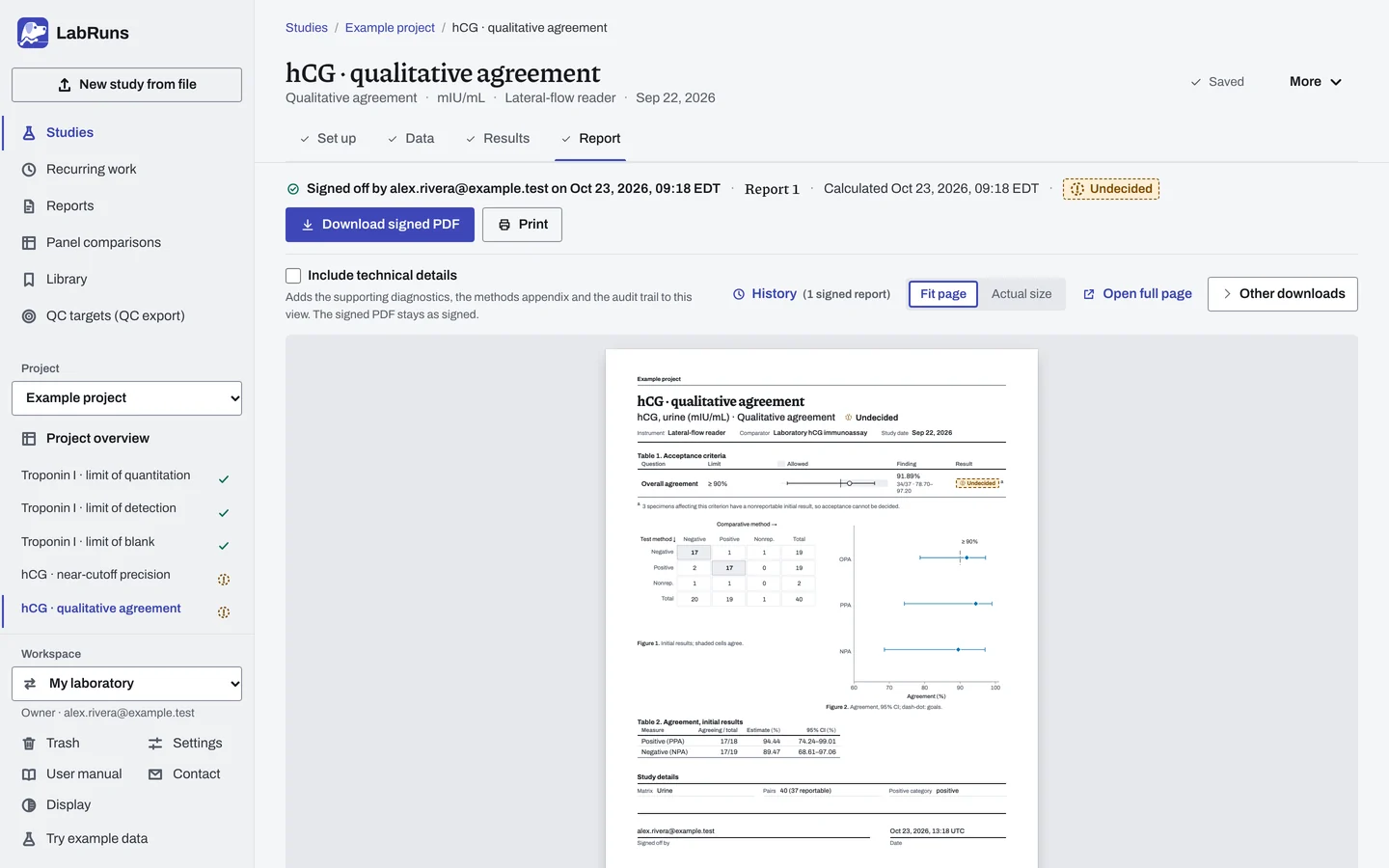
Report your decision. Open Report, look over the result and the study details, then download or print the report. Sign-off is optional.
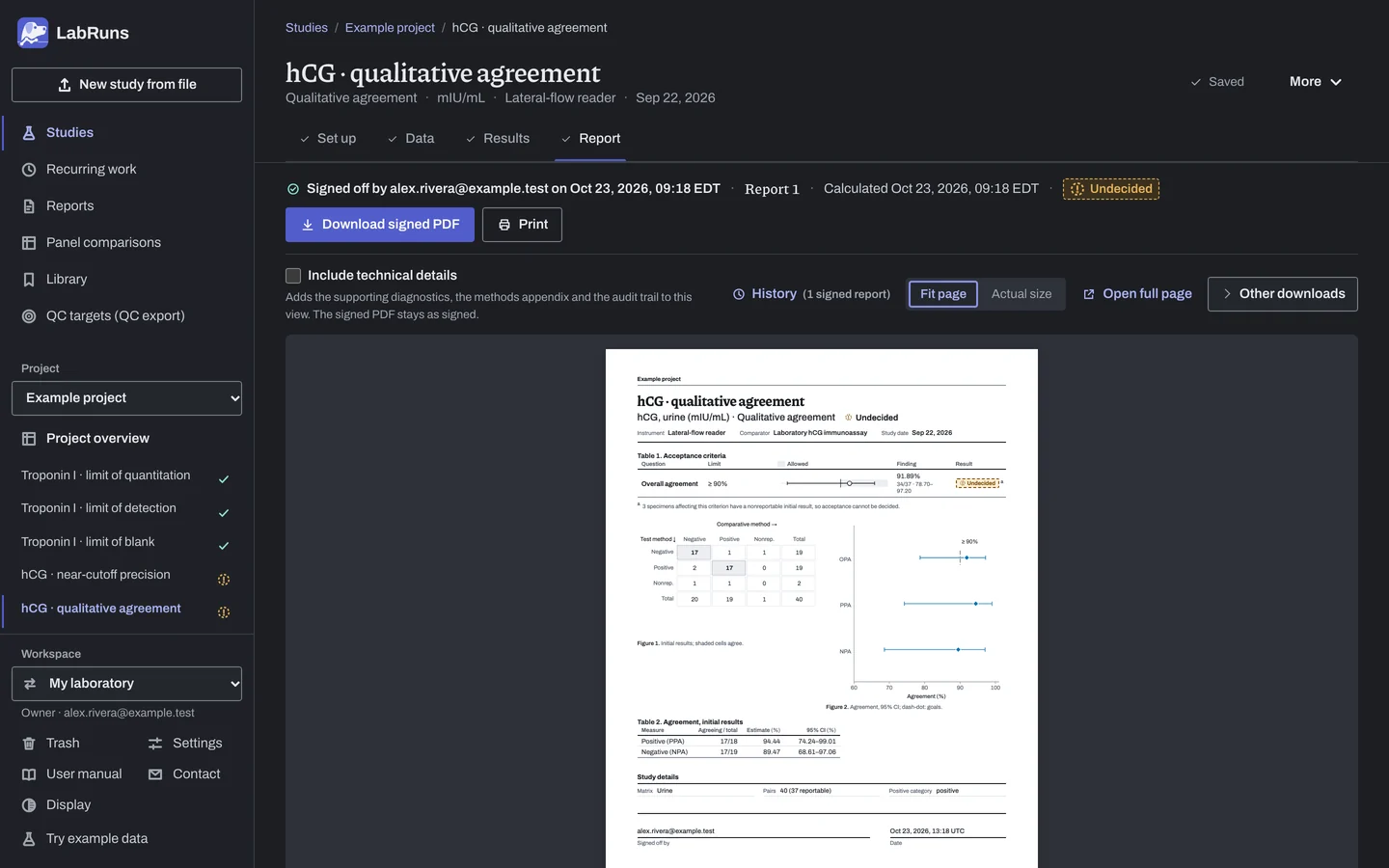
Figure 4. Report for hCG · qualitative agreement.
Set up
Section titled “Set up”- In your project choose New study. Under Study type, select Qualitative agreement under Qualitative tests. Enter the Analyte (this study needs no unit), and choose Create study, or Create and import data if you already have results.
- On Set up, under Acceptance limits, choose Enter your own limit. See Acceptance limits.
- Under Qualitative performance, check Positive category and Result categories · declared order. If the other category is the positive one, change Positive category. See Settings.
- Check Nonreportable labels.
- Choose the Comparative method type.
- If you chose Reference standard · sensitivity/specificity with two result categories and want predictive values modeled for a population, enter its Population prevalence (%) · optional.
- Choose the Category order. For graded results, choose Ordered (semiquantitative) and a Weighted kappa.
- Check Confidence level under Calculation settings.
- On Data, choose Import a file, or type or paste into the grid. To type into blank rows, set Specimens under Lay out the grid and choose Create entry rows. Blank template (CSV) downloads the empty column template. See Columns.
- If Labels found in the data appears on Set up, choose Add to categories or Add to nonreportable for each label, or correct the row.
To leave a row out, exclude it with a reason; see Correct or exclude a result.
Record a retest or adjudication
Section titled “Record a retest or adjudication”- On Results, in the Discordant and nonreportable pairs list, choose Record resolved result on the specimen.
- Choose Resolved comparative result and Resolved test result, then Save resolved result. To change it, choose Edit resolved result on the pair or Edit under Recorded resolved results; Delete removes it.
- Choose Recalculate results to apply them.
What the resolved results change is in Resolved results.
When a limit is not met
Section titled “When a limit is not met”- Check for swapped columns, the wrong Positive category and undeclared labels.
- High agreement but a lower-bound limit is not met: review both the observed agreement and the specimen count. More specimens narrow the interval, but disagreements can still keep its lower bound below the limit.
- Look for many nonreportable results, disagreements all in one direction, or a "reference standard" that is not really one.
- Retest or adjudicate the discordant specimens, and record the resolved results. If only discordant or nonreportable specimens are resolved, review how specimens were chosen for resolution.
- Against a comparative method that isn't a reference standard, a low PPA or NPA means the two methods disagree. Either one may be wrong.
Common mistakes
Section titled “Common mistakes”- The report says PPA and NPA, but you meant sensitivity and specificity. Choose Reference standard · sensitivity/specificity only for a true reference standard.
- Two labels the software cannot read as negative and positive, such as
AandB. The second is taken as positive; check Positive category. - A value that is not a result category, such as
<0.5. The study keeps its two starting categories and offers the value under Labels found in the data on Set up; choose Add to nonreportable, or correct the row. - Graded results such as
negative,1+,2+,3+in a new study. Only a file whose results use exactly two labels sets the categories by itself; each graded label is offered under Labels found in the data. Choose Add to categories for each, then check the order in Result categories · declared order. - Only overall percent agreement reported when results are nonreportable. Report all-pairs agreement as well.
- PPA or NPA read without its interval. Read the Wilson lower bound as well.
- A retest entered as a later row for the same specimen. Later rows are repeats and are not counted. Record the retest as a resolved result.