


Linearity
Run this study
Section titled “Run this study”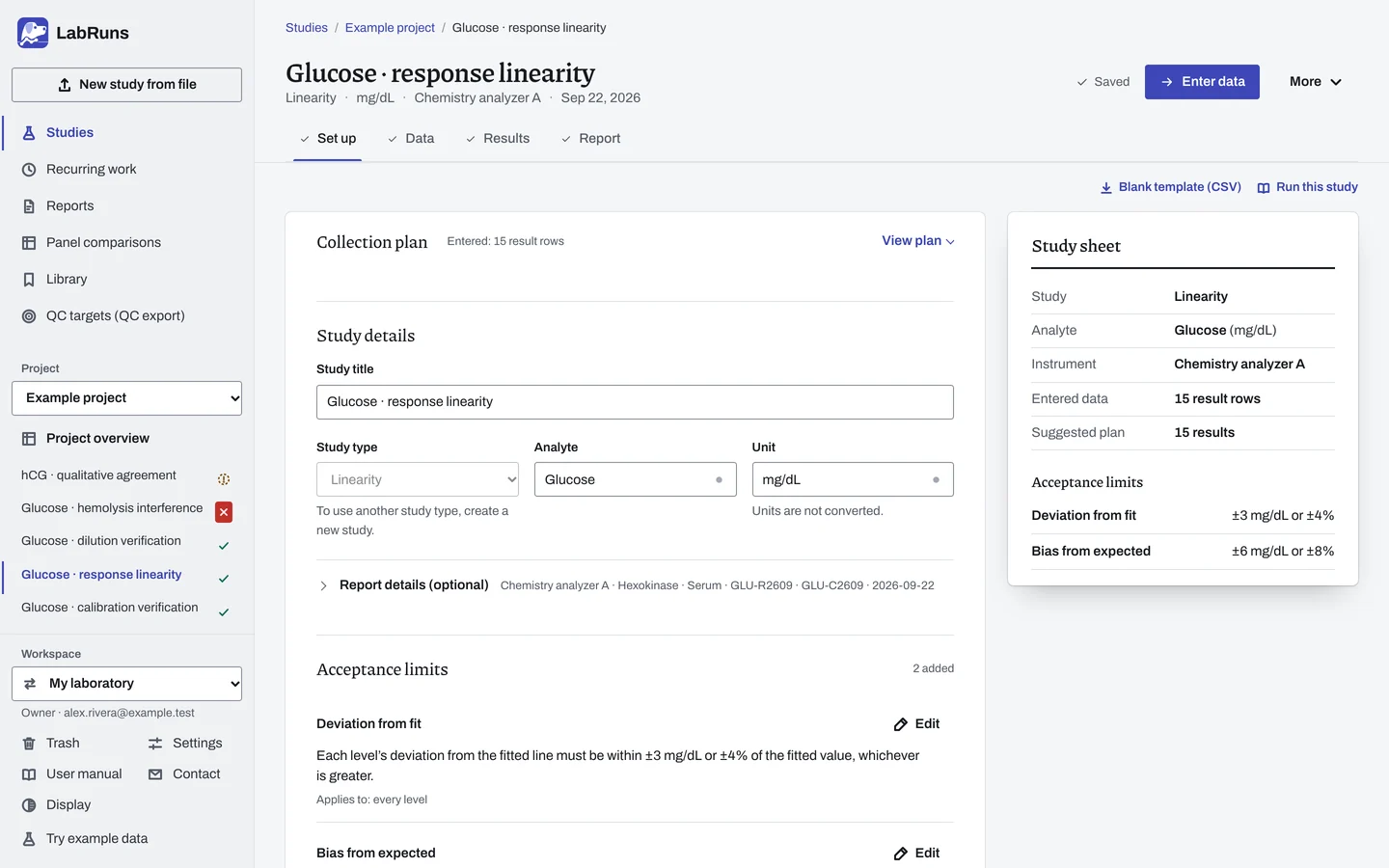
- Your question
-
Does the response follow a straight line across the intended measuring range?
- Prepare
-
A series of known concentrations from suitable commercial materials or a documented admixture series. Levels at the intended low and high ends, with the others spread between them. A record of how each expected concentration was assigned.
- Suggested starting plan
-
- 5 concentrations × 3 measurements each. 15 results.
Add levels around clinical decision concentrations or suspected curvature. This plan follows the example in Xiao and Chambliss's 2023 review of reportable range verification.
- Calculation minimum
-
Fitting a line needs 3 different expected concentrations. Deciding criteria needs 2 replicates per level.
-
Decide before collecting. Create the study and fill these in on Set up:
- The allowed absolute deviation from fit, in the analyte unit. Use study-unit limits for interval-scale measurements.
- Separate bias or recovery limits if agreement with the assigned concentrations also matters.
- The claimed lower and upper reportable limits, if checking the range, and how close the endpoint materials must be.
- Whether to check every replicate against an independently assigned concentration, and its total-error allowance.
Figure 1. Set up for Glucose · response linearity. -
Collect and record. Collect the results as planned above and label each one with the specimen or material, level, day, run and replicate your design tracks.
-
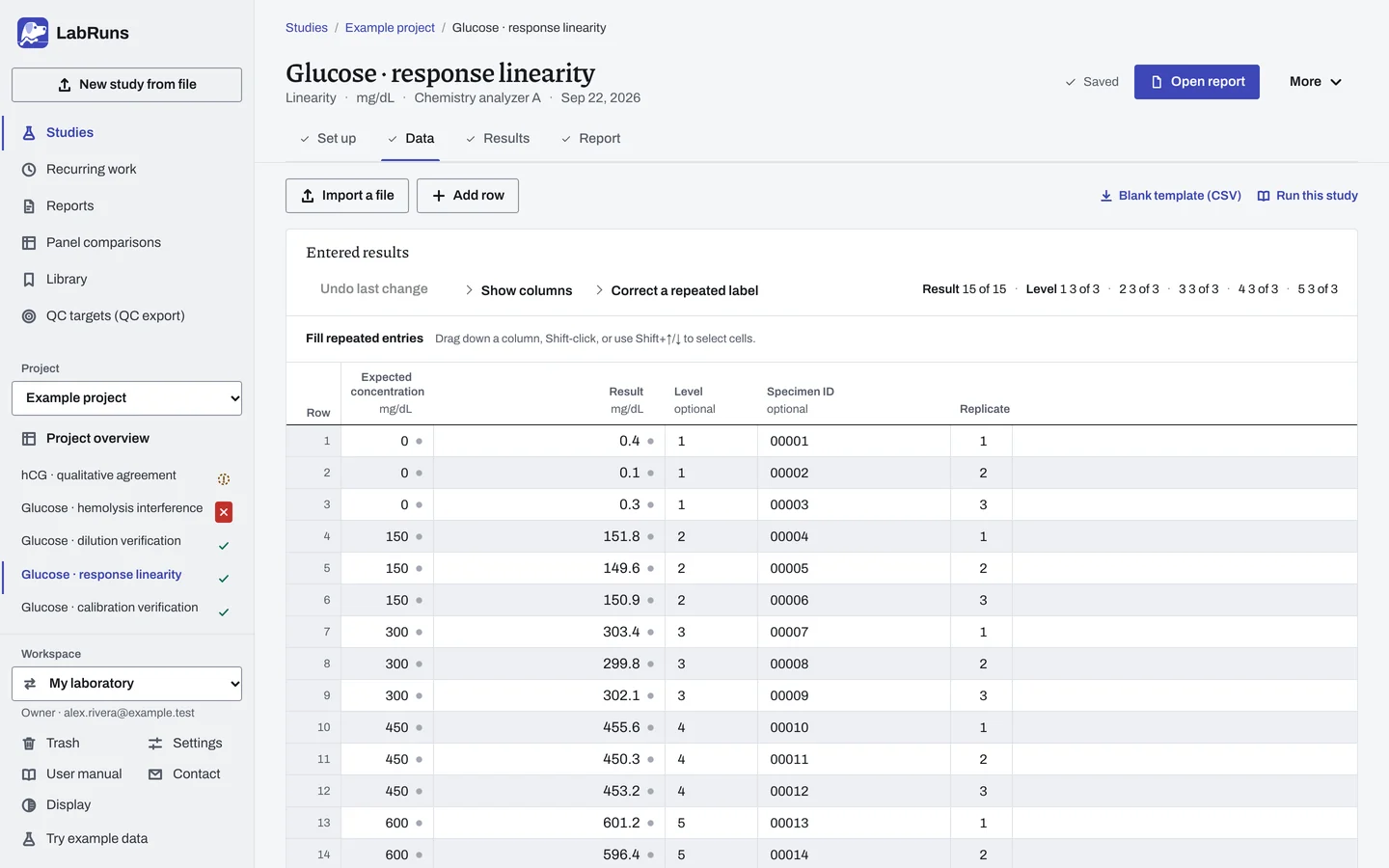
Enter your results. Enter Expected concentration, Result and a consistent Level for each preparation. Use one row per replicate. For a ready-made file, use Blank template (CSV) on Data, or download the example file.
Figure 2. Data for Glucose · response linearity. -
Calculate and check. Save the study, choose Calculate results, then check:
- Individual replicate outcomes when the total-error check is selected.
- The planned levels and replicates are present.
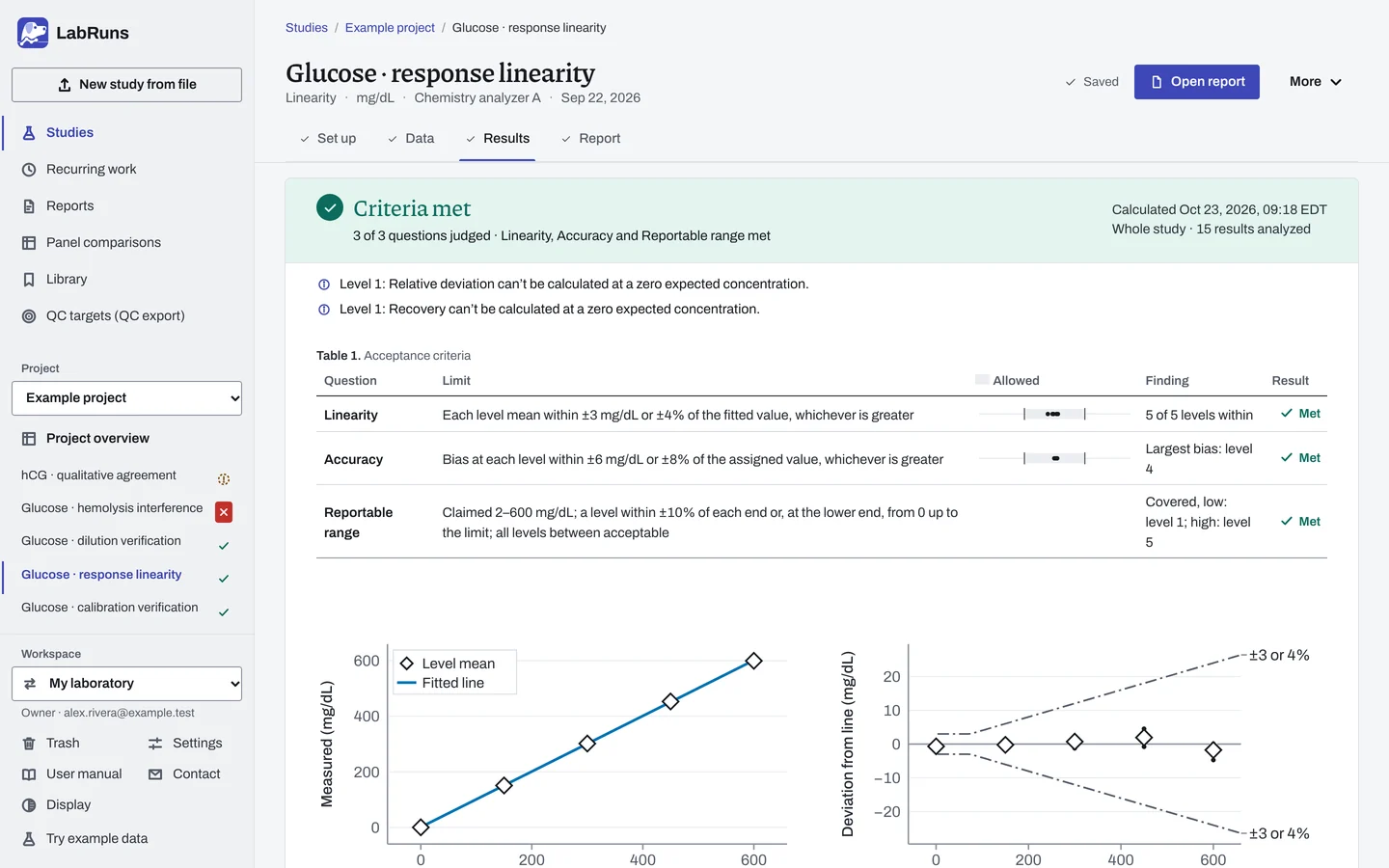
- The deviation and criterion outcome at each level, plus the separate Accuracy and Reportable range outcomes when selected.
- The deviation plot for curvature, even when R² is high.
- At an expected zero, use an absolute criterion. Percentage recovery can't be calculated there.
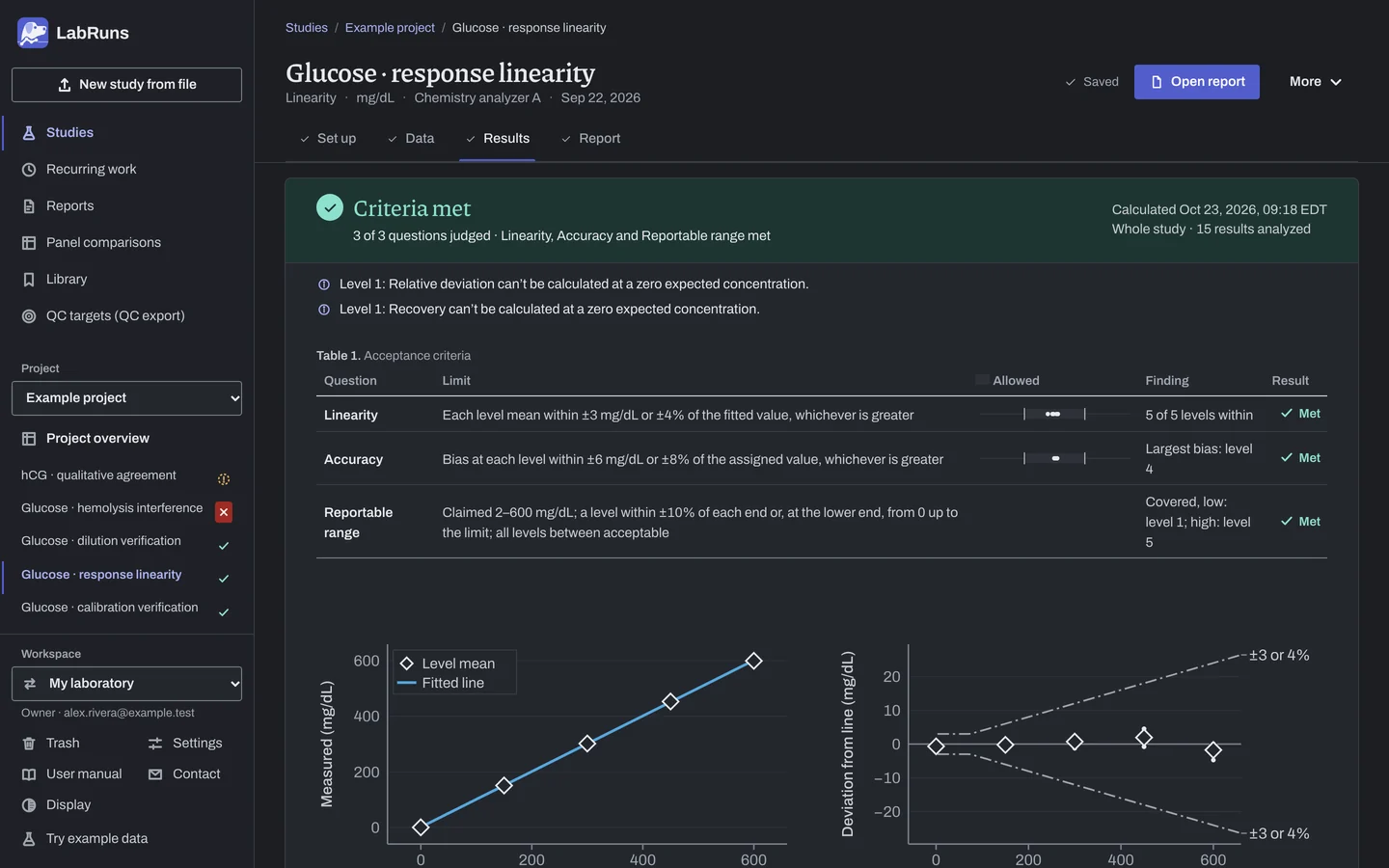
Figure 3. Results for Glucose · response linearity. -
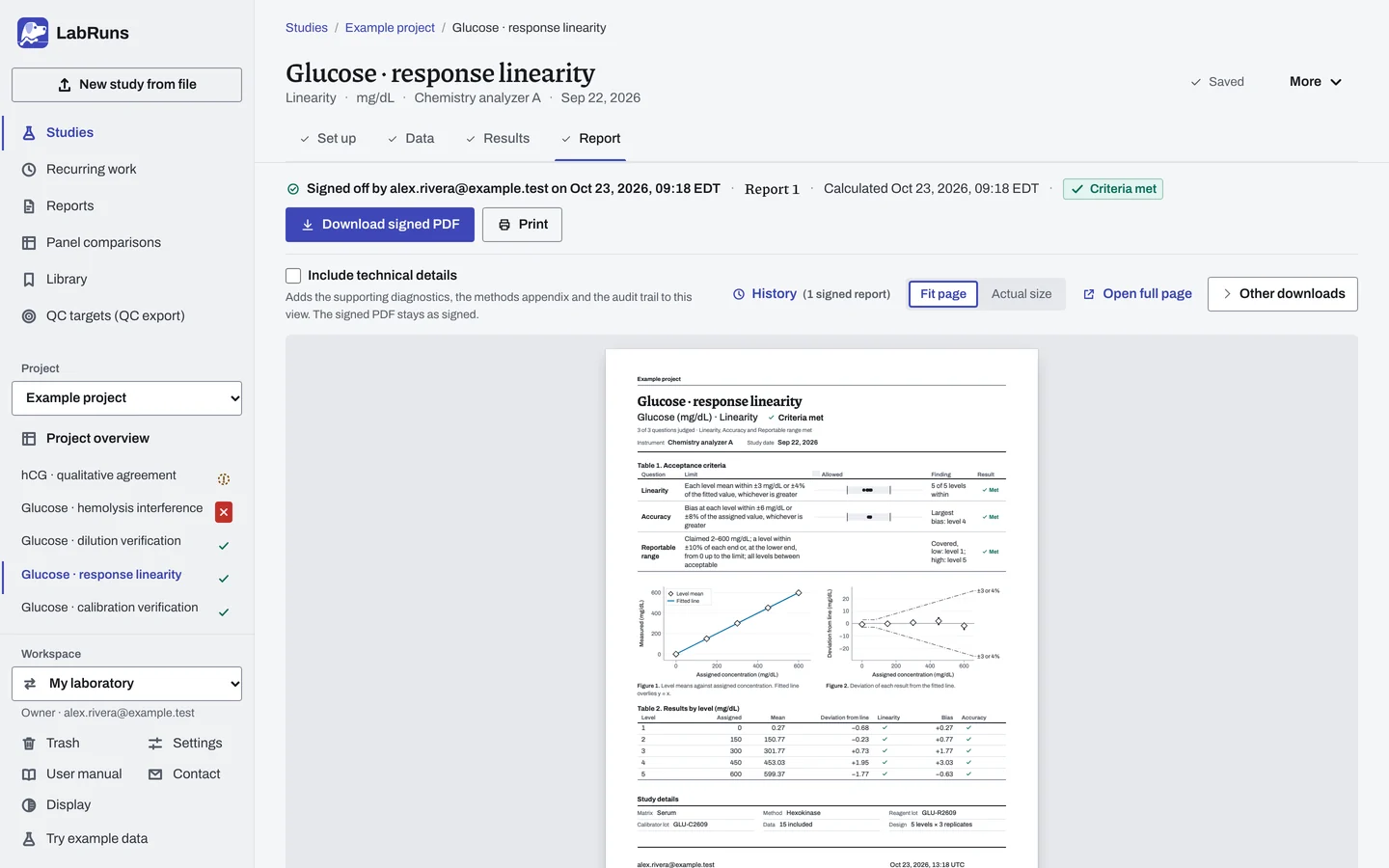
Report your decision. Open Report, look over the result and the study details, then download or print the report. Sign-off is optional.
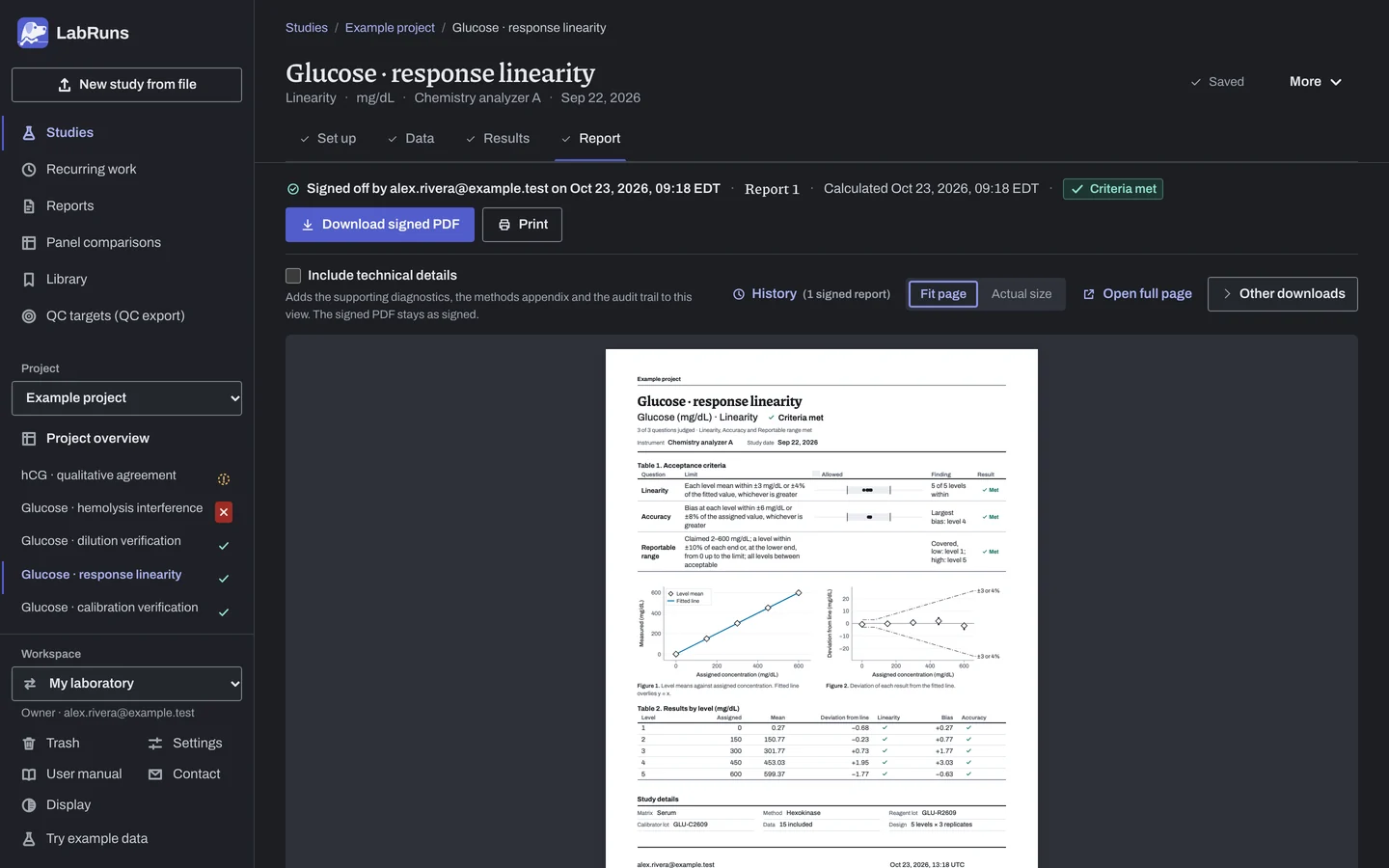
Figure 4. Report for Glucose · response linearity.
Set up
Section titled “Set up”- Choose New study, select Linearity under Measuring range, enter Analyte and Unit, and choose Create study, or Create and import data if you already have results. For a kit without assigned concentrations, choose Create study and see Calculate theoretical values before entering results.
- On Set up, under Acceptance limits, choose Enter your own limit, then Deviation from the fitted line under What to limit. If agreement with the assigned concentrations also matters, add Bias from the expected concentration, or Relative bias or Recovery under More statistics. For a recovery limit with a level at zero, add it once for each non-zero level, using Applies to. See Acceptance limits.
- If a result can read below zero, such as a blank reading slightly under 0, tick Permit negative results under Calculation settings.
- On Data, choose Import a file or Add row, or, on an empty grid, set Concentrations (levels) and Measurements per level under Lay out the grid and choose Create entry rows. Enter one row per measured replicate with its Expected concentration and Result. Give each preparation one Level name, or leave Level blank on every row of it. See Columns, Import a file and Numbers, units and identifiers.
Calculate theoretical values
Section titled “Calculate theoretical values”For a kit made in equal concentration steps, without assigned concentrations for your analyzer:
- Before entering any results, on Set up, under Linearity preparation, tick Calculate theoretical values. It can't be changed once the study has rows.
- Choose the First level held true and Second level held true, or leave them at Lowest level and Highest level. Hold true two levels where the method is known to be linear; a kit insert may name the pair it uses.
- On Data, enter each row's kit level number (1, 2, 3 …) in Kit level and its Result.
Check every replicate against its assigned value
Section titled “Check every replicate against its assigned value”- On Set up, tick Check every replicate against its assigned value. It needs independently assigned expected concentrations, so it isn't offered with Calculate theoretical values.
- Enter the total-error allowance in the study unit, Total-error allowance (%), or both.
Verify a claimed reportable range
Section titled “Verify a claimed reportable range”- On Set up, open Reportable range (optional) and enter the Claimed lower reportable limit and Claimed upper reportable limit.
- Enter Proximity allowance (%), Proximity allowance in the study unit (optional), or both, or leave them blank for 10% of each limit.
- Add a Deviation from the fitted line limit under Acceptance limits: the range is decided only with one. See Reportable range.
When a limit is not met
Section titled “When a limit is not met”- Recheck data entry. A mistyped expected concentration moves a whole level off the line. A wrong decimal convention misreads every value.
- Retest. Reprepare a level that sits off the line. Recovery above or below the expected value at every level points to a problem with the assigned concentrations or calibration.
- Reportable range not met because an end has no level. Prepare a level whose expected concentration falls inside that end's window. At the lower end, a blank or minimal level from 0 up to the lower limit also covers it.
Common mistakes
Section titled “Common mistakes”- Judging linearity by R-squared. R-squared stays near 1 even for a clearly curved response. Judge linearity by the deviation from the fitted line.
- Fewer than three different expected concentrations with results. Measure at least three; two level names at one concentration count once.
- One replicate per level. A level with one replicate has no SD or interval, and its limits are Undecided. Measure each level more than once.
- One level entered with two expected concentrations. Give every row of a level the same expected concentration.
- A level name on some rows of an expected concentration and a blank Level on others. Name the level on every row of the preparation, or on none.
- A missing or negative expected concentration. Enter the prepared concentration, zero or higher.
- A negative result with Permit negative results off. Tick Permit negative results under Calculation settings when the reading is real.
- Two level names at the same expected concentration by mistake. They are fitted as separate points and a note asks you to confirm they are separate preparations. Use one name for one preparation.
- Kit levels with Calculate theoretical values: a row without a kit level number, two levels sharing a number, a higher held-true level that doesn't read higher than the lower one, or steps that put a level below zero. Correct the kit level numbers or choose another pair to hold true.
- A censored result such as
<0.01. Enter the exact reading from the original record if available; otherwise exclude it with a reason. See Correct or exclude a result and Handle missing and censored values.